Rule-based automation breaks in your face. That turns out to be its best feature, and it is the one thing an AI workflow quietly takes away.
AI workflow automation is software that runs multi-step business processes in which at least one step requires interpretation rather than a fixed rule. A traditional automation follows a script you wrote in advance. An AI workflow pursues an outcome you defined, and works out the middle steps against whatever input actually arrived.
That difference sounds academic until you own the thing. If you already run a dozen automations and spend a real portion of your week patching the ones that break on edge cases, the promise of software that handles the edge cases itself is the most interesting sentence in your inbox. It is also the one most likely to cost you six months. Later sections cover the eight components every platform assembles differently, the step-by-step choice between a rule and a model, where agents earn their extra risk, and what an AI workflow automation service includes if you buy the work rather than build it.
Every vendor page on the first page of Google will give you the definition, and most of them get it roughly right. The definition is the easy part. What almost none of them tell you is what these systems look like in month three, what the human review actually costs, and which workflows you should refuse to automate no matter how good the demo looked. That is most of what follows: the mechanism, the economics, and the five ways this breaks after everyone has stopped watching.
What AI workflow automation actually means
Break the term into its three parts and it stops being marketing language.
A workflow is a repeatable sequence of steps that moves work between people and systems. An invoice arriving, being checked, being coded to a cost centre, being approved, being paid. Nothing about that is new.
Automation means software executes the steps instead of a person. Also not new. This is the world of rules, triggers, and integrations that most operations teams already live in.
The AI part is narrower than the branding suggests. It contributes three specific capabilities that rule-based software does not have:
- It handles unstructured input. A PDF invoice with a layout nobody has seen before, an email written by a frustrated customer, a photo of a delivery note. Rules need structure. Models do not.
- It makes context-dependent decisions. Not "if field X equals Y then route to Z" but "read this and decide which of nine categories it belongs to, given what these categories usually contain."
- It adapts to variation without reprogramming. A new supplier format does not require a new rule. In principle.
Hold onto that last phrase. "In principle" is where most of this article lives.
A note on the vocabulary
You will see the same idea sold under at least five names. AI workflow automation, intelligent automation, AI process automation, agentic automation, and AI workflows are largely marketing variants of one concept, differentiated more by which vendor coined them than by what they do.
There are two terms worth keeping distinct, because the distinction is real:
- RPA (robotic process automation) is software that mimics human interaction with an interface, clicking and typing through screens. It is rule-based at its core. Modern RPA suites bolt AI onto that foundation, which is why RPA vendors now sell AI automation.
- Agentic describes a system given a goal and the freedom to choose its own sequence of actions, including which tools to call. Every agentic system is an AI workflow. Not every AI workflow is agentic, and most production ones deliberately are not, because a fixed sequence with one intelligent step is far easier to test.
This article uses "AI workflow automation" for the whole category and flags where the agentic variety changes the picture .
How it differs from the automation you already have
The honest boundary is this. Rule-based automation executes a script. AI workflow automation pursues an objective.

A Zap that routes an email to a queue based on the sender address is rule-based, and it should stay that way. A step that reads the email, decides which of nine support categories it belongs to, drafts a first response, and flags the three cases per week that need a human is not something you can express as rules, and people have tried for a long time.
| Rule-based automation | AI workflow automation | |
|---|---|---|
| What triggers it | An event, a schedule, a webhook | The same |
| How the logic is expressed | Explicit if-then conditions you write | An objective plus context, interpreted at runtime |
| Input it can handle | Structured and predictable | Unstructured, inconsistent, novel |
| Behaviour on an unseen case | Fails, or does the wrong thing loudly | Attempts an answer, often plausibly, sometimes wrongly |
| Who maintains it | Whoever wrote the rules | Whoever owns the evaluation set and the review queue |
| How failure shows up | An error, an alert, a broken run | Output that looks fine and is not |
| Cost profile | Near-zero marginal cost per run | Per-run model cost that scales with volume |
The row that matters most is the second to last, and it is the trade nobody puts in the proposal. A rule that breaks pages you. A model that is wrong sends the invoice anyway, correctly formatted, to the wrong cost centre, and does it again tomorrow. You are not buying intelligence. You are swapping a system that tells you when it is broken for one that does not.
When rules are still the right answer
If your process has predictable inputs and unambiguous logic, and you can tell cleanly when it worked, rules will beat an AI step on cost and on auditability, and they will do it for years without attention. Adding a model to a workflow that a rule already handles is a pure downgrade dressed as modernization. Plenty of "AI automation" projects are exactly this.
How AI workflow automation works, step by step
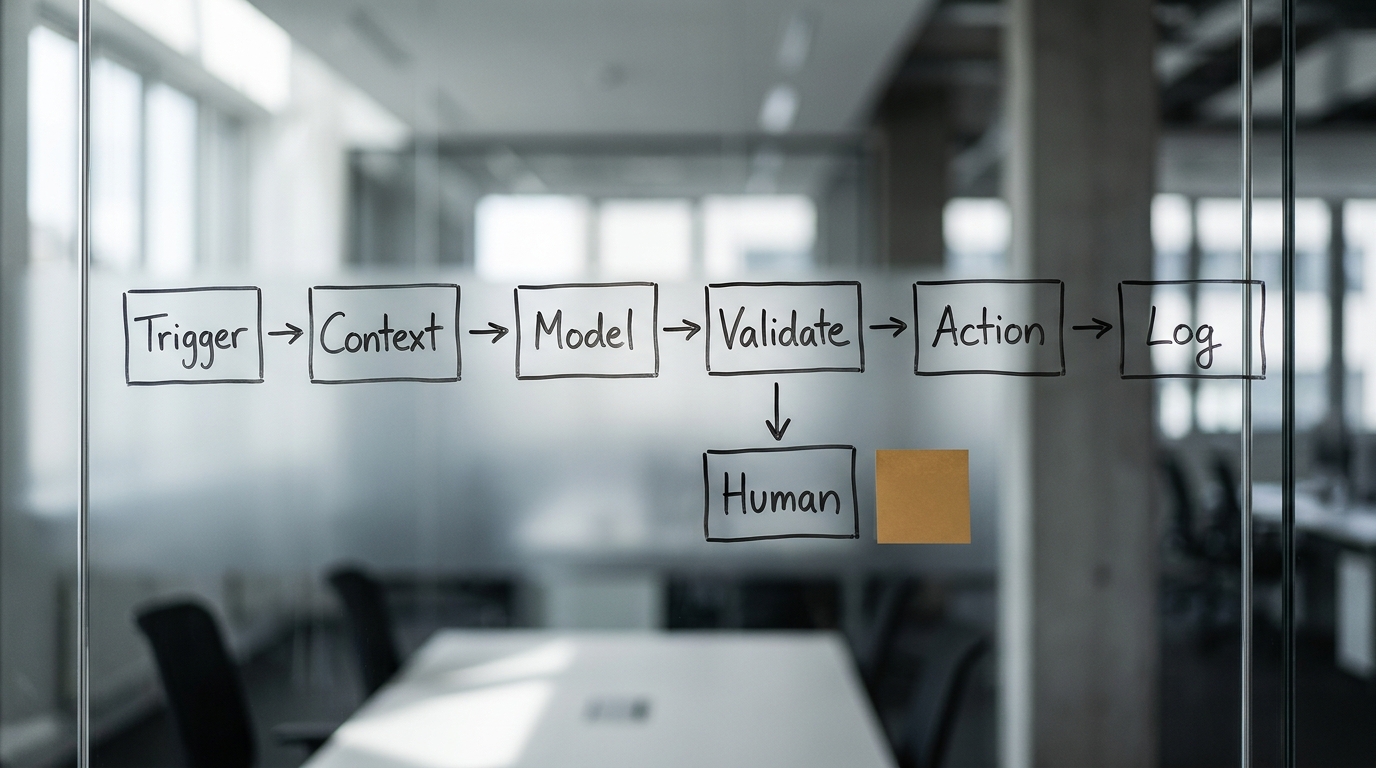
Most explanations stop at "trigger, AI, action." Here is what actually sits in a production workflow, using a support ticket that needs classification and routing.
1. Trigger. A ticket lands. Standard webhook or polling, no different from any automation you already run.
2. Context assembly. This is the step nobody mentions and the one that determines whether the whole thing works. The system gathers what the model needs to decide well: the ticket text, the customer's plan tier, their last three tickets, the current category definitions, and a handful of examples of correctly classified tickets. Bad context is the single most common cause of bad output, and it is almost never a model problem.
3. The model step. The assembled context goes to a language model with an instruction that names the decision, the allowed outputs, and the format. The model returns a category, a confidence signal, a suggested response, and a short reason. That reason is what makes the next step auditable.
4. Validation. Deterministic code checks the response before anything acts on it. Is the category one of the nine that exist? Is the JSON well formed? Does the suggested response contain a commitment the business does not make? This layer is ordinary software and it prevents most of the embarrassing failures.
5. The action. Route the ticket and write the fields. Draft the reply. These are real side effects on real systems, which is why step 4 exists.
6. The human branch. Some fraction of cases goes to a person. Low confidence, high value, or a category flagged as sensitive. The routing rule for this branch is a business decision, not a technical one.
7. Logging. Every input, every output, every reason, every human correction. Without this you cannot measure the workflow, and a workflow you cannot measure is one you cannot safely expand.
Where the human sits
Human-in-the-loop is a design decision with a price tag. Treating it as a safety checkbox is how teams end up paying that price without ever budgeting for it. If a person reviews 100 percent of output, you have built an expensive drafting assistant. If nobody reviews anything, you have accepted whatever error rate the system produces, whether or not you know what it is.
The useful question is which cases reach a human, and what that person is actually able to catch. A reviewer shown 200 classifications a day, of which 197 are correct, will stop catching the three that are not. That is not a character flaw. It is a known property of vigilance tasks, and designing around it separates workflows that hold up from workflows that degrade without anyone noticing.
The eight building blocks of an AI workflow
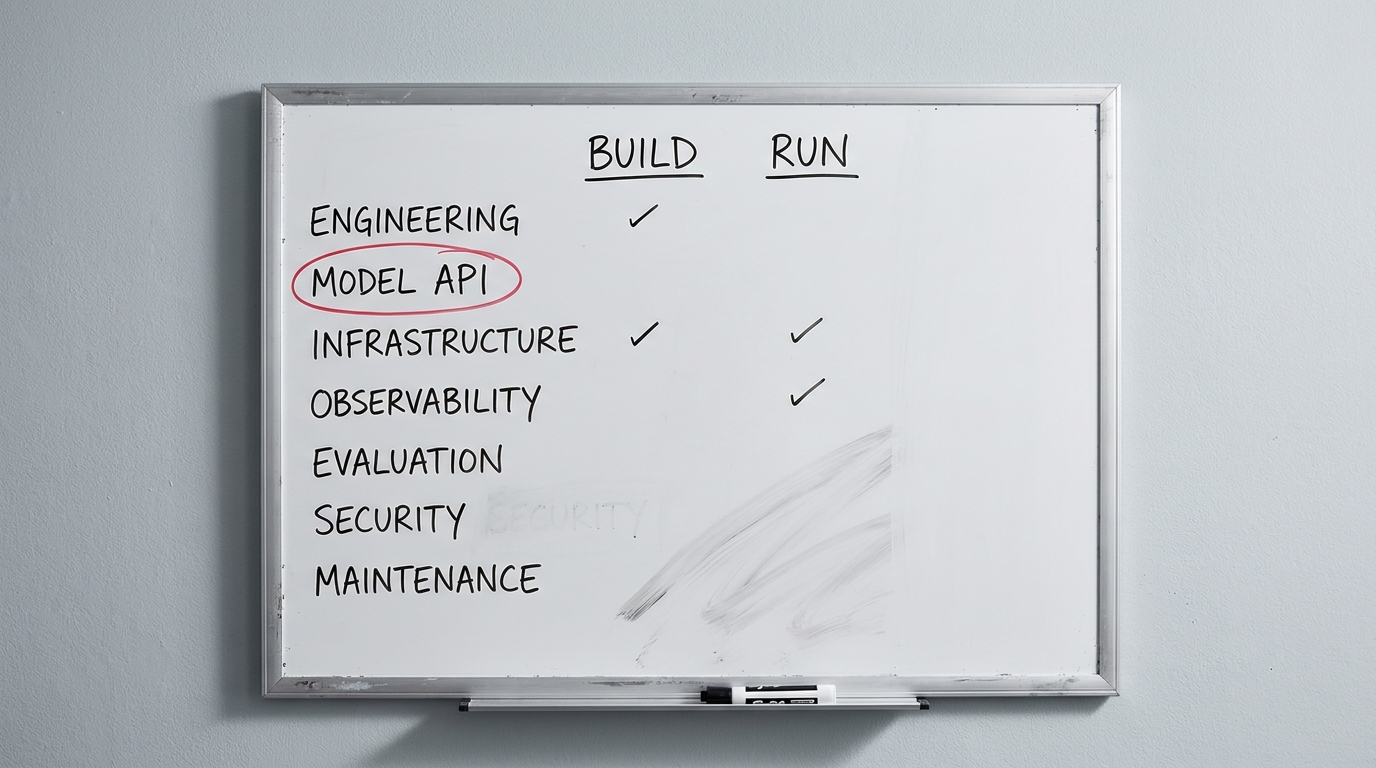
Platforms package these components differently and give them different marketing names, but the categories are stable. Learn the eight and you can read any vendor's architecture diagram in about a minute.
- Triggers and events. The entry points that start a run: webhooks, schedulers, inbox watchers, form submissions, database change events.
- Connectors and integrations. The links to the systems the workflow touches, from CRM and ticketing to email, storage, and finance. Integration breadth is often what decides whether a workflow is buildable at all.
- The reasoning layer. One or more language models that read, classify, extract, and generate. This is the component that turns unstructured input into a structured decision.
- Deterministic and RPA steps. The exact, rule-based actions that need no model: field mapping, validation, calculations, and scripted UI actions where no API exists.
- Memory and context retrieval. Usually retrieval over your own documents and data, giving the model grounding so its output reflects your business rather than only its training.
- Agents. Where the workflow needs dynamic planning, an agent chooses actions toward a goal instead of following a fixed path. Optional, and best introduced only when a fixed path genuinely cannot cover the cases.
- The orchestration layer. The coordinator that sequences steps, passes context, manages retries and errors, and routes between models, tools, and agents.
- Governance and observability. Logging, audit trails, approval gates, access controls, monitoring. Not an add-on: this is what makes a workflow safe to run on real data and possible to improve.
Note where RPA sits in that list. The three approaches are not rivals competing for your process, and most real systems run all of them at once: traditional automation follows rules, RPA imitates hands, and the AI layer supplies judgment. A model reads the invoice and decides the general-ledger code, a rule routes anything over a threshold to a manager, and an integration writes the result into the accounting system.
A useful test when you evaluate any platform: ask which of the eight it provides natively, which it expects you to bring, and where governance and observability actually live. A tool that nails reasoning and connectors but hand-waves observability will hurt you in month three, not month one.
Which steps get a model, and which stay a rule
The previous section drew the line at the level of a whole workflow. The more useful line runs step by step, and it is the decision most write-ups bury.
Use a deterministic step when the logic is knowable and stable. If you can write the rule down, write the rule. It will be faster, cheaper, and auditable.
Use an AI step when the input is unstructured, or when the rules are too many to enumerate. Free text, an image, a mix of signals, no reasonable set of if/then branches that would cover it — that is the job for a model.
The trap is using AI for every step because it feels modern. An all-AI workflow is slower, because every model call adds latency. It is more expensive, because you pay per call. And it is less reliable, because every AI step is another place a confident wrong answer can enter. The pattern that works is a mostly deterministic workflow with AI applied precisely where interpretation is needed.
AI agents versus simple AI steps
"Agentic" is the word of the moment, so it is worth pinning down once. An AI step does one bounded task and returns: classify this, extract that. An AI agent plans a sequence of actions, chooses which tools to call, and loops — taking a result, deciding what to do next, acting again — until it reaches a goal or a stop condition.
Agents are powerful and harder to control, and both traits come from the same place. The loop that lets an agent handle an open-ended goal is the same loop that lets it run up cost, take an unexpected action, or fail in a way that is hard to trace. Most workflows do not need one. If your process is "read this, decide among a few known options, do the matching action," a single AI step with guardrails is simpler, cheaper, and easier to trust. Reach for an agent when the task requires multi-step planning and tool use you cannot lay out in advance — and even then, keep it inside bounded permissions, a human checkpoint, and a hard stop.
Where it pays off first
Four workflow types come up repeatedly, and they share a shape worth naming.

Document processing. Invoices, purchase orders, contracts, delivery notes, claims. High volume, unstructured input, a clear correct answer, and an existing manual process whose cost you already know.
Email and ticket triage. Classification and routing where the categories are stable but the language is not. The error cost is usually recoverable, which matters more than it sounds.
Data extraction from varied formats. Pulling the same fields out of documents that arrive in twenty different layouts. This is the case rules handle worst and models handle best.
Approval routing with exception handling. The rule covers the standard path. The model handles the twenty percent that used to become an email thread.
The common characteristics: high volume, a definable correct answer, a tolerable and detectable error cost, and messy input. A workflow with all four is a good first candidate. A workflow missing the third is a trap, and it is the one people fall into.
Two worked examples make the difference concrete.
An accounts payable team processing 2,000 supplier invoices a month across roughly forty formats is close to an ideal case. The output is checkable against a purchase order, errors surface at reconciliation, and the volume justifies the build.
A legal team reviewing fifteen non-standard contracts a month is not, despite looking similar on the surface. The volume does not repay the build, each document differs in ways that matter, and a missed clause may not surface for two years. Same technology, opposite verdict.
Where it does not pay off
The competitive guides on this topic are unanimous that more automation is better. Here is the other list.
- Low volume. Below roughly a few hundred items a month, the build and maintenance burden usually exceeds the saving. The exact threshold depends on how expensive the human time is, which is why the arithmetic later in this article matters more than any rule of thumb.
- Expensive errors that are hard to detect. Anything where a wrong output is costly and surfaces months later. Compliance filings and contractual commitments. Anything safety-relevant. The problem is not that models get these wrong more often than people. It is that a wrong answer arrives with the same fluent confidence as a right one.
- Undocumented or contested processes. If two people in the department would describe the process differently, automating it does not resolve the disagreement. It hard-codes whichever version the person writing the prompt happened to believe.
- Processes a rule already handles. Covered above, and worth repeating because it is common.
The cleanest test: if you cannot describe the process to a new hire in writing, you cannot automate it with AI either. The model is not going to infer the parts of the job that live only in someone's head.
Assume you pick well and it works. The interesting question is what happens next.
What breaks after deployment
None of these failures are exotic. They are the predictable consequences of removing loud failure from a process, and they arrive in roughly this order.
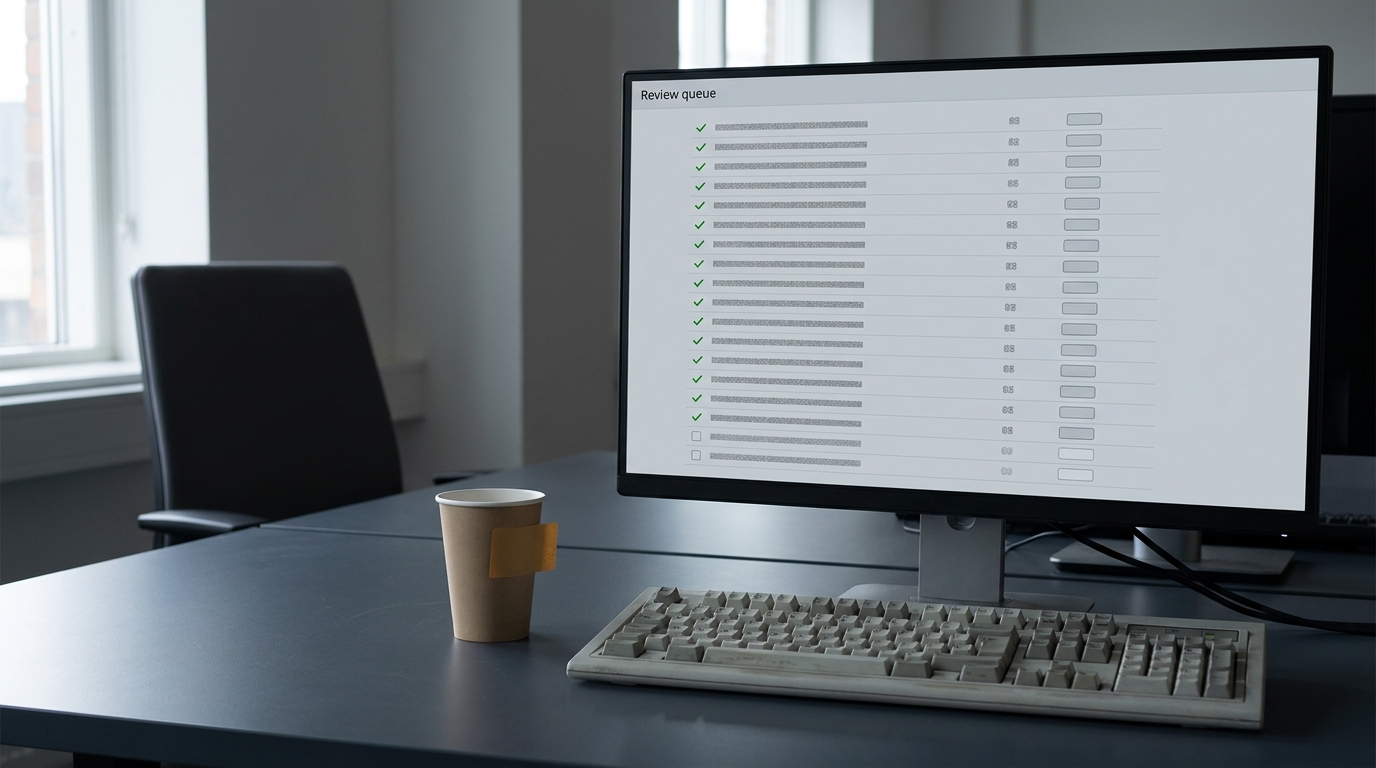
Silent misclassification. The workflow runs. Nothing errors. A steady percentage of outputs is wrong, and because nothing broke, nobody looks. This is the defining failure mode of AI automation and it has no equivalent in rule-based systems. How you would detect it: sample and manually label a fixed number of outputs every week, forever. Not once at launch. What the mitigation costs: a few hours of someone's time per week, permanently. Budget it as part of the workflow, not as a project task.
Drift. Upstream formats change. A supplier redesigns their invoice. Someone edits the prompt. The model provider ships a new version. Any of these can move behaviour without a single line of your code changing. How you would detect it: track the distribution of outputs over time. A classifier that has sent 12 percent of tickets to "billing" for six months and suddenly sends 4 percent has told you something, even if every individual output looks reasonable. What the mitigation costs: the monitoring is cheap once built. The discipline of looking at it is the expensive part.
Review fatigue. By week three, the reviewer approving a queue of mostly-correct outputs is clicking through them. The human-in-the-loop safeguard that justified the whole design is now decorative. How you would detect it: measure the reviewer's correction rate over time. If it falls toward zero while your sampled error rate has not, the review has stopped functioning. What the mitigation costs: route fewer, higher-stakes cases to humans rather than everything, and rotate reviewers. Reviewing less is usually safer than reviewing more.
Edge-case accumulation. The same failure that killed the rules-based version, arriving by a different road. Each exception gets patched with a special instruction until the prompt is a 2,000-word document nobody fully understands and any change breaks something unrelated. How you would detect it: watch the length and amendment rate of your instructions. What the mitigation costs: periodically rewriting from the evaluation set instead of patching. This is real engineering work and it recurs.
Cost creep. Per-run model costs scale linearly with volume in a way that infrastructure costs do not. A workflow that is comfortably profitable at 500 items a month can be uncomfortable at 50,000, especially if the design retries or chains several model calls per item. How you would detect it: per-workflow cost tracking from day one, not a line item on a platform bill.
What to instrument before you ship
Four things, none optional:
- Full logging of input, output, the model's stated reason, and any human correction.
- A labelled evaluation set of real cases with known-correct answers, built before launch and expanded whenever a new failure is found. This is what turns "it seems to work" into a number.
- Weekly sampling with human labelling, at a fixed volume.
- Distribution alerts on output categories and confidence, so drift surfaces as a signal rather than a complaint.
If a proposed workflow cannot justify the cost of these four, it cannot justify the automation either.
The delegation gap
There is a distance between what the technology can do and what your organisation can responsibly let it do without supervision. Research from Seampoint (2026) puts the gap starkly, reporting that AI is technically capable of around 93 percent of knowledge-worker tasks while organisations are actually delegating about 27 percent, and noting that only around 4 percent of businesses have fully automated their operations. Whatever the precise figures in your context, the shape holds: capability runs well ahead of safe delegation.
McKinsey's work on agentic AI (2025) reaches a similar conclusion from the other direction, arguing that value comes from reinventing the process rather than bolting agents onto the existing one.
The practical reading is short enough to put on a wall: autonomy is earned, not granted. A workflow moves from "every output reviewed" to "sampled review" to "exception-only review" on the strength of measurements, not confidence. That progression is the actual project. The model was the easy part.
This also explains why so many pilots stall . A pilot proves the technology works on a sample. It does not build the evaluation set, the monitoring, the review process, or the organisational agreement about who is accountable when an automated decision is wrong. Those four are the deployment, and they are mostly not technical work.
Working out which of your processes are ready for that progression is exactly what a structured discovery pass is for. Advantage Works runs a one-week Discovery Sprint that maps your processes against readiness and produces a concrete roadmap rather than a proof of concept.
What it costs, and how to decide
Nearly every guide on this topic asserts a payback period and almost none show the arithmetic behind it. Here it is, with the inputs named so you can substitute your own.
The variables that decide the answer:
- Volume: items per month
- Current cost: minutes of human time per item, times fully loaded hourly cost
- Coverage: the share of items the workflow handles end to end
- Review rate: the share of items a human still checks, and how long that takes
- Run cost: model and platform cost per item
- Build cost: one-off engineering and process work
- Maintenance: hours per month for sampling, monitoring, and fixes
A worked example, with every figure below an illustrative estimate rather than a measured result:
Take 2,000 invoices a month at 6 minutes of human handling each. That is 200 hours. At a fully loaded $40 per hour, the process costs $8,000 a month. Every figure in this example is in US dollars.
Assume the workflow handles 80 percent end to end and a human reviews 30 percent of those at 1 minute each, plus the untouched 20 percent at the full 6 minutes. Human time falls to roughly 8 hours of review plus 40 hours of manual handling, so about 48 hours, or $1,920 a month. Add per-item run costs of $0.05 across all 2,000 items, and 8 hours a month of maintenance at the same loaded rate. Running cost lands near $2,340 a month against $8,000, so a saving of roughly $5,660 a month.
Against published 2026 build costs for a single workflow of roughly $8,000 to $30,000, per Parix (2026) and ezintegrations (2026), payback lands somewhere between one and six months. That is a defensible range. Any vendor quoting you a single number for your situation has not seen your data.
Now change one variable. Drop volume to 200 invoices a month and the saving collapses to about $278, because the eight hours of monthly maintenance do not shrink with volume and the build cost barely moves either. Payback stretches to roughly two and a half years against an $8,000 build, and to about nine years against a $30,000 one. This is the volume threshold, and it is why "start with your most painful process" is bad advice. Start with your highest-volume qualifying process, which is often not the most annoying one.
The tool landscape, without the pitch
Four categories, described by what they are good at rather than by who is selling them.
Connector-first platforms such as Zapier, Make, and Microsoft Power Automate. Enormous integration libraries, usable by non-engineers, and AI steps now built in. Best for workflows whose difficulty is integration breadth rather than logic depth. Weaker when you need real evaluation infrastructure or version control over your prompts.
RPA-lineage enterprise suites such as UiPath and Automation Anywhere. Built for regulated, high-volume, screen-driven work in large organisations, with the governance, audit trails, and support model that implies. Best when your processes run through systems that have no usable API. Heavy and expensive for a mid-market team automating four workflows.
LLM-native orchestration and agent frameworks. Code-first, maximum control over context assembly, evaluation, and retries. Best when the difficulty lives in the reasoning step and you have engineers. Requires you to build the operational layer the platforms give you for free.
Custom builds. Right when the workflow is core to your business or your data cannot leave your environment. Wrong as a default, because you inherit every piece of undifferentiated plumbing.
Most organisations end up with two of these rather than one. The connector platform handles the long tail, and one or two high-value workflows get a purpose-built implementation.
What AI workflow automation services actually include
If you buy this as a service rather than build it, the engagement has a predictable shape: measure the current process, design which steps stay rules and which get a model, build the integrations, test against real historical items including the exceptions, run a supervised period where a human works the low-confidence queue, then hand over with monitoring in place.
Six things on your side compress that timeline, and teams that arrive with them routinely cut weeks off discovery.
- A named process owner who can answer "what happens when the amount does not match" without convening a meeting.
- System access and API availability, confirmed early. A system that only offers a UI turns a two-week integration into a much larger conversation.
- A data sample — a few hundred real historical items, including the exceptions. This is what testing runs against.
- Whatever documentation exists. Partial is fine; the gap between the documented process and the real one is itself useful information.
- A decision on risk. Which steps must always have human sign-off, and what an auditor will expect to see.
- A number you want to move. Cycle time, cost per item, backlog size. Pick one before the build starts.
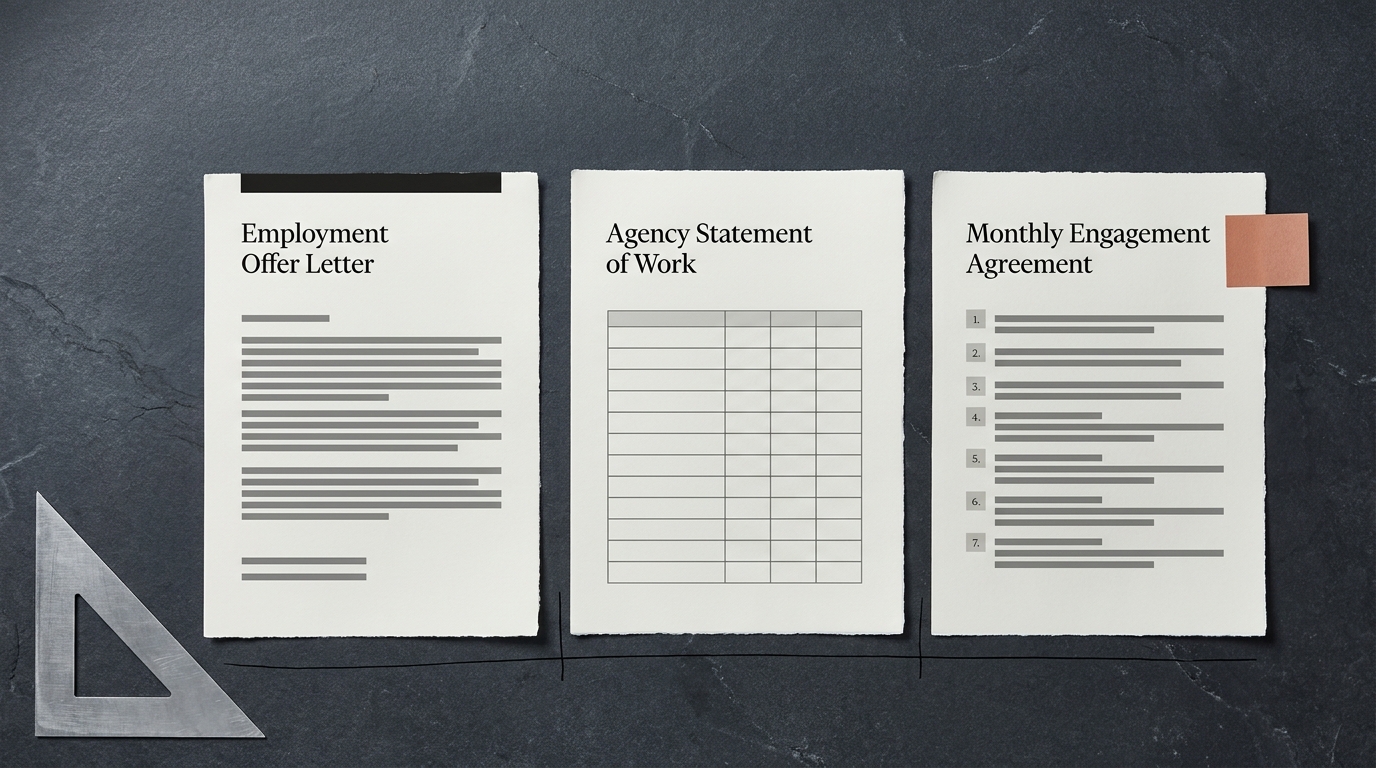
On pricing, the reframe that matters: you are not really buying AI, you are buying the work around it, and that is where the money goes. Providers price a fixed-scope discovery, a per-workflow build, and a monthly retainer to operate what is running, sometimes in combination — so ask which model a proposal uses before comparing numbers, because a build quote and an operate quote are not comparable.
What actually moves the price: how many systems the workflow touches, whether those systems have usable APIs (a legacy system without one can cost more than the entire AI portion), data quality, how many exception paths the process needs, compliance and audit requirements, how much documentation exists, and how much change management is involved.
The category has also filled up with people who can wire an API key to a workflow tool and call it a practice. A scoping call separates them fast if you ask: How will you measure the current process before we change it? Which steps would you keep deterministic, and why? What happens when the model is not confident, and who works that queue? Which of our systems have you integrated with before? What does month four look like, and who owns it? What would you refuse to automate here?
That last question is the most revealing. A provider who cannot name something they would decline is selling coverage, not judgment.
How to choose your first workflow
Score your candidates against five questions. A workflow that answers no to any of the first four is not your first one.
- Is the volume high enough? Run the arithmetic above with your real numbers before committing.
- Is the process documented? If not, document it first. That exercise alone often delivers a meaningful share of the promised benefit.
- Is there a definable correct answer? If two competent people would disagree about the right output, you are not ready to automate the decision.
- Would an error surface? Name the mechanism by which a wrong output gets caught. If you cannot, pick a different workflow.
- Does a human already review this? If yes, you have both a source of labelled examples and a review process that already exists. This is the strongest positive signal there is.
The workflow that scores well on all five is rarely the one that generates the most complaints. It is usually the boring high-volume one that everybody has stopped noticing.
Pick it, instrument it before you automate it , and let the measurements decide how much autonomy it earns.
Key takeaways
- AI workflow automation is software that runs multi-step processes where at least one step needs interpretation rather than a fixed rule. The distinction from rule-based automation is judgment on unstructured input, not speed.
- Rule-based automation fails loudly and AI automation fails silently. Giving up loud failure is the real trade, and it is why sampling and monitoring are part of the workflow rather than a nice-to-have.
- Autonomy is earned through measurement. Move a workflow from full review to sampled review to exception-only review on evidence, never on confidence.
- Volume decides viability. The same workflow can pay back in months at 2,000 items a month and take years at 200, because build and maintenance costs barely move with volume.
- The strongest signal that a workflow is ready is that a human already reviews its output, which means you already have labelled examples and a review process to build on.
Not sure which of your processes clear that bar? Get an AI Readiness Snapshot , a free 30-minute call that maps where automation would have the most immediate impact on your cost and reliability.
- The step-level decision matters more than the workflow-level one: write the rule when the logic is knowable, use a model only where the input is unstructured. An all-AI workflow is slower, dearer, and less reliable than a mostly deterministic one.
- An AI step does one bounded task; an agent plans and loops. The loop that handles open-ended goals is the same loop that runs up cost and fails opaquely, so most workflows want a guarded step, not an agent.
- Rules, RPA, and AI are not rivals. Real systems run all three: rules for thresholds, RPA where there is no API, and the model only for judgment.
- When you buy this as a service, price moves on integrations, API availability, data quality, and exception paths — not on the AI. Ask which of a discovery, a build, and an operate retainer a quote actually covers.