A mid-market company buys the most capable AI tool it can find. A few people try it. Within a quarter, adoption has quietly died. The instinct is to blame the model. Wrong vendor, not smart enough, not ready yet. But the model was almost never the problem. The unmapped busywork underneath it was.
That busywork is easy to picture. Reps copying deal data from one tool into another by hand. Finance cleaning the same exports every month before close. Support fielding the same forty questions a week while a manager waits on a report that should already exist. None of it is hard work. All of it is expensive, because it burns the hours you pay senior people for. If you have already run one pilot that ended as a polished deck nobody shipped, you know the shape of it.
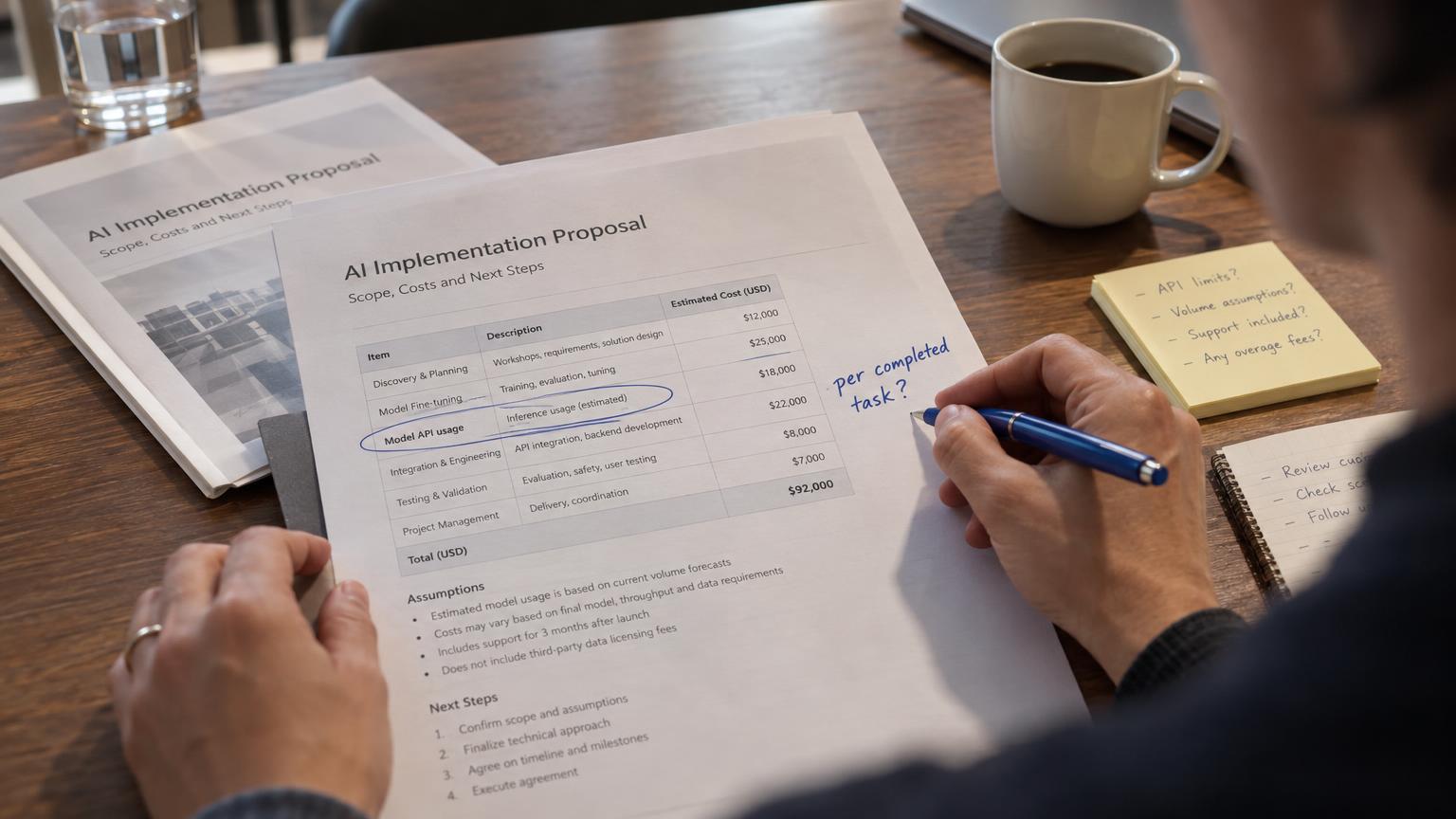
So hiring help for this is an operating decision, not a software purchase. You are not buying a model. You are deciding whether an outside team should map that busywork, rank it, and turn the worst of it into something that runs on its own. This article walks through that decision in plain terms: what the service is, what it delivers, how to size the payback, and when it is not worth it for a company your size.
Why more mid-market teams are hiring this out in 2026
That pattern repeats across companies in the $2M to $50M range, and the cause is structural, not technical. The capability was in the room. The map of where to point it was not.
Most repeatable work in a mid-market business never shows up on the org chart. It lives in the gaps between systems, in the copy-paste steps, in the "just send it to me and I'll handle it" handoffs. That work leaks capacity quietly, and it compounds as you grow.
Teams hire this out for speed and focus. Your people know where the pain is. What they lack is the time and the automation experience to map it, build it, and keep it running while also doing their day jobs. An outside team does exactly that, fast, and leaves you with something that works.
What AI automation consulting actually is
AI automation consulting is a service that finds the repetitive, rules-heavy work inside your business and rebuilds it so software does the repetitive part. A consultant maps how work actually flows today, decides which processes are worth automating, builds the automations, then keeps them tuned as your business changes.
It rests on a few familiar building blocks. Robotic process automation (RPA) handles the click-and-copy steps. Intelligent automation (IA) adds a layer of judgment, so software can read a document, classify a request, or draft a reply instead of only following fixed rules. AI models supply that judgment.
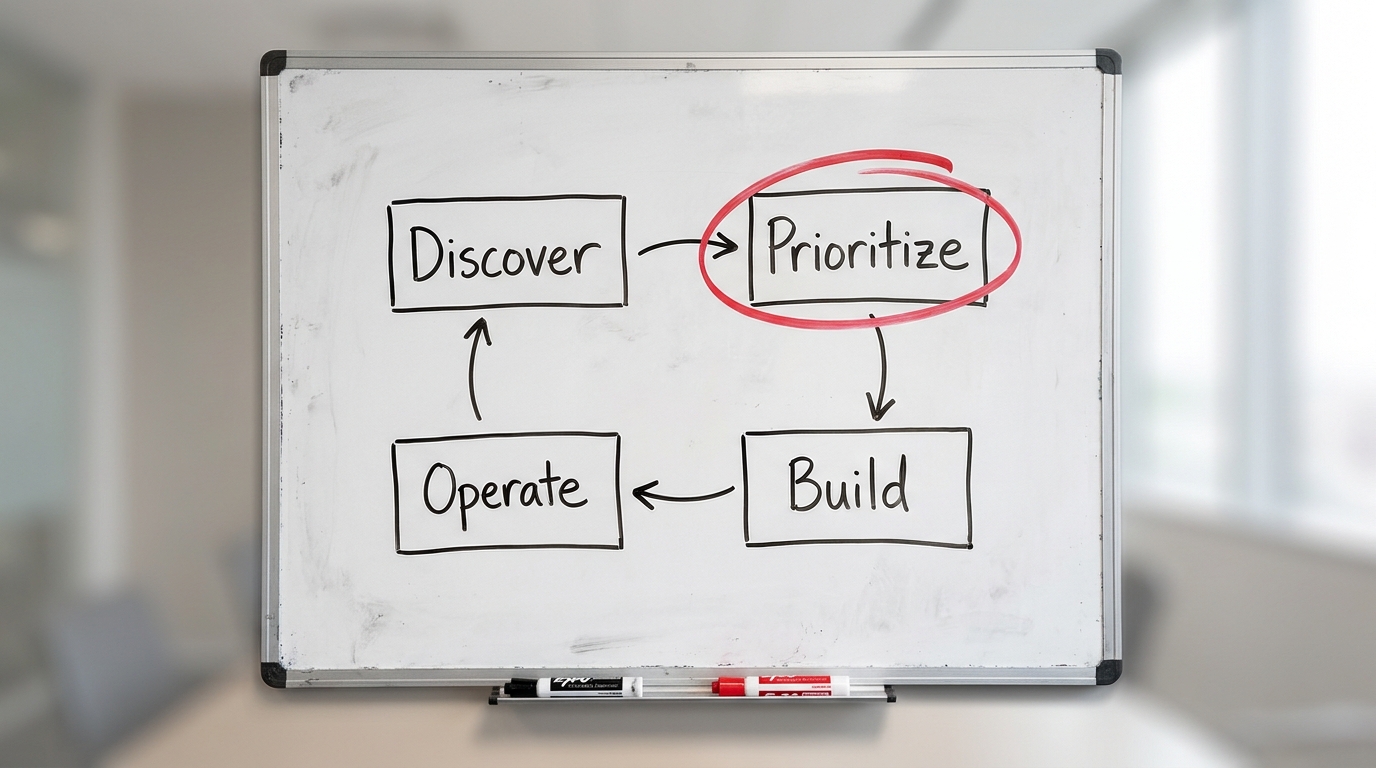
The work follows a simple loop, and any honest consultant will describe it the same way:
- Discover. Map the real workflow, not the one in the process doc.
- Prioritize. Rank candidates by effort, risk, and payback.
- Build. Ship a working automation for the top candidate.
- Operate. Watch it in production and improve it.
The value is in that loop running well, not in any single tool. A consultant who leads with a product name before understanding your process is selling you software, not solving your problem.
AI automation versus traditional automation, and where "agentic" fits
The terms get used interchangeably, which is exactly why buyers get sold the wrong thing. Three are worth pinning down once.
Traditional automation, including robotic process automation, follows fixed rules. It clicks the same buttons, copies the same fields, and moves the same files every time. When the input is clean and predictable it is fast and reliable, and it breaks the moment something changes. That is why most rollouts clear the easy 20% and stall: the remaining work involves exceptions, unstructured documents, and judgment calls that rules cannot cover.
AI automation adds the missing layer. It reads a messy email or a scanned invoice, works out what it means, makes a judgment when the input does not match a template, and adapts as conditions change. RPA needs the world to hold still. AI automation is built for the world that does not.
Agentic automation goes one step further: rather than handling a single step, an agent plans a sequence, chooses which tools to call, and works toward a goal, deciding what to do next as it goes. It is the more autonomous end of the same spectrum, and it carries proportionally more risk — which is why most processes want a guarded AI step rather than an agent.
The three are not rivals. Most working systems run all of them at once: a rule routes anything over a threshold, RPA drives a legacy screen that has no API, and the model supplies the judgment in between.
How to evaluate an AI automation consultant
No vendor teaches you to judge a vendor, so here are the criteria that separate the two kinds.
- Proof of shipped outcomes, not demos. Ask for systems running in production and the results they produced. A polished demo proves nothing about operating at scale.
- Domain and process fit. Have they worked with your kind of process — your industry, your systems, your compliance reality? Generic AI skill is not enough.
- Governance and human-in-the-loop maturity. Can they explain without prompting where humans stay in control and how agent mistakes get caught and corrected? A missing governance story is the single biggest red flag.
- Integration depth. Do they treat connecting to your existing systems as the real work or as an afterthought? The hard part of automation is almost always the integration.
- Honest scoping. Do they tell you what not to automate, and where the risks sit? A consultant who says yes to everything is selling, not advising.
- Data-readiness realism. Do they check whether your data can actually support the automation before promising results?
The cheapest test costs nothing: describe an ambiguous case from your own process, the kind your staff argue about, and ask how it would be handled. Consultants who have shipped talk about confidence thresholds and escalation. Those who have not talk about prompt quality.
What a consultant actually delivers
Across the market, credible consultants converge on four deliverables. If an engagement does not produce these, you are paying for slideware.
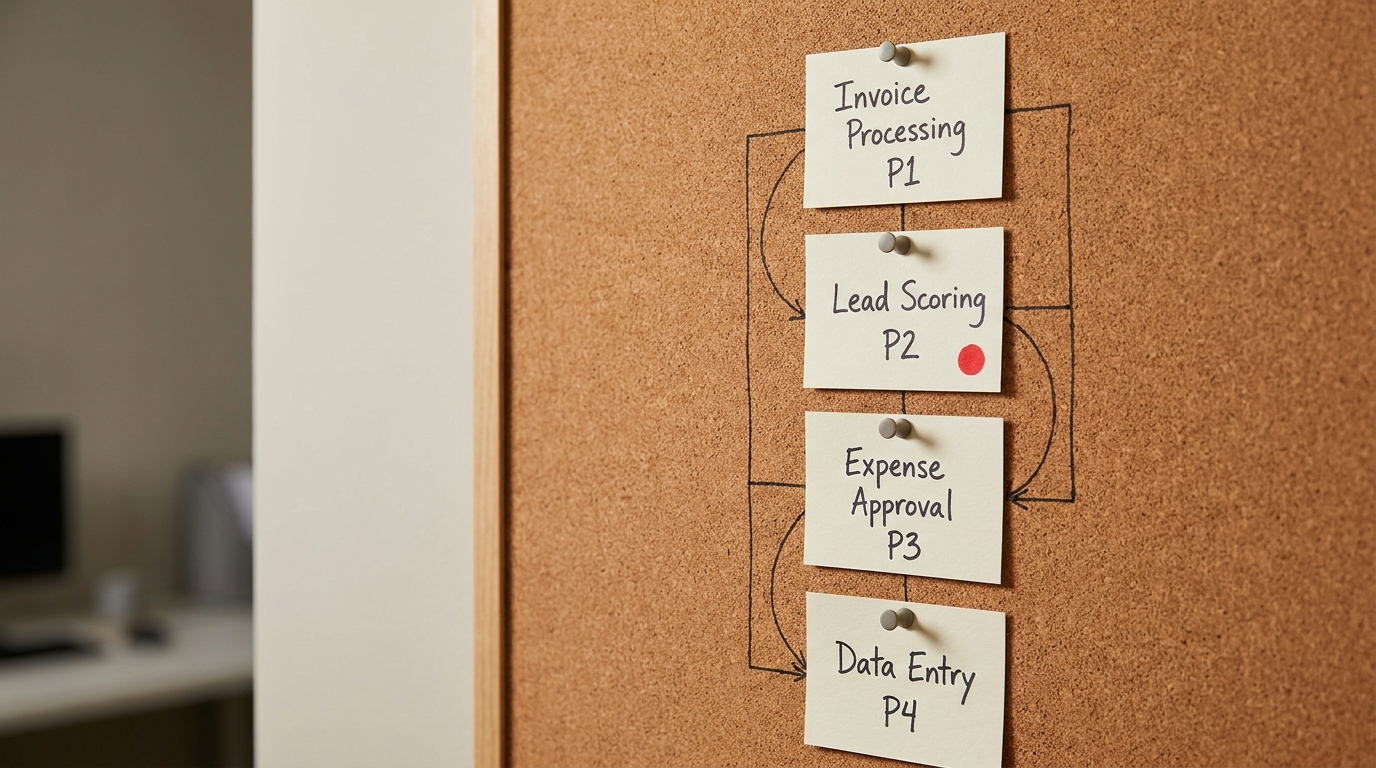
- A process map. A clear, current picture of how a workflow actually runs, including the manual steps nobody documented. This one alone often surprises leadership.
- A prioritized roadmap. A ranked list of automation candidates with rough effort, risk, and expected payback for each, so you build in the right order instead of the loudest order.
- Working automation. At least one live, in-production automation doing real work, not a prototype in a demo environment.
- An optimization loop. A way to monitor what you shipped and improve it, because the first version is never the last.
The tangible artifacts matter. You should walk away holding a process map you can reuse, a roadmap you can fund in phases, and automation that keeps running after the consultant leaves. If you cannot point to those three things, the engagement did not land.
Consultant vs in-house hire vs platform-only
Most buyers weigh three paths: hire a consultant, hire someone in-house, or buy a platform and build it yourself. None is universally right. They differ on how fast you see value, the shape of the cost, and how much you own at the end.
| Criteria | AI automation consultant | In-house hire | Platform-only build |
|---|---|---|---|
| Speed to value | Fast (weeks) | Slow (months to hire and ramp) | Medium, gated by your team's time |
| Cost shape | Project or retainer, front-loaded | Fixed salary, ongoing | Subscription plus your labor |
| Depth of ownership | You own the output; expertise walks | You own both output and expertise | You own everything, including the risk |
| Best for | A first win and a roadmap, fast | A durable, ongoing automation function | Teams with in-house automation skill |
| Main risk | Dependence if no handoff | Wrong or early hire is costly | Half-built tools nobody maintains |
Read the table as a sequence, not a fork. Many mid-market teams start with a consultant to get a first win and a roadmap, then hire in-house once the volume of work justifies a permanent owner. The platform-only path works when you already have someone who can drive it. Without that person, a capable platform becomes another stalled pilot.
When hiring is worth it, and when it is not
Hiring an outside team is worth it when three things are true at once: you have real repetitive volume, you lack the in-house automation skill to move quickly, and you need a result this quarter rather than next year. If a workflow touches many people, runs often, and follows knowable rules, it is a strong candidate.
It also pays off when a prior pilot stalled. A stalled pilot usually means the process was never mapped, and mapping is exactly the part an outside team does best.
Be honest about the cases where you should not hire. Skip it if:
- Your processes change so often that there is nothing stable to automate yet.
- You have almost no repetitive volume, so the payback math never clears.
- You already have a capable automation owner in-house with the time to do it.
- Nobody internally will own the result, which guarantees it quietly dies.
That last point is the real gate. Automation without an internal owner reverts to manual within a quarter. If you cannot name the person who will care about it after launch, fix that before you spend a dollar. When the gap is capacity rather than intent, an embedded fractional AI team can supply the owner and the build together until an internal hire makes sense.
How the ROI and payback actually work
Ignore anyone who quotes you a fixed return. You can estimate payback yourself with a method that holds up on a P&L.
Start with one workflow. Multiply the hours it consumes each month by the loaded hourly cost of the people doing it. That is your monthly cost of the manual process. Estimate how much of it the automation removes, usually 40% to 80% of the manual steps rather than the whole thing (estimate range, varies by process). The monthly saving is that percentage of the cost. Divide the build cost by the monthly saving, and you have payback in months.
Value shows up in three places, and it helps to name which one you are chasing:
- Cycle time. Work that took days now takes hours, so cash and decisions move faster.
- Cost per transaction. The unit cost of an invoice, a ticket, or a proposal drops.
- Senior hours freed. Expensive people stop doing cheap work and move to work only they can do.
A common outcome is a two to six month payback on a well-chosen first workflow, with a cross-industry median near four months (estimate range, not a promise). The number that matters is not the headline percentage. It is whether the freed capacity gets redeployed . Saved hours only become money when someone reinvests them.
If you want a grounded starting point rather than a guess, get an AI Readiness Snapshot and book a free 30-minute readiness call to pressure-test one workflow's numbers before you commit.
Common workflows and use cases
The strongest first candidates are boring on purpose: high volume, clear rules, low judgment. A few before-and-after patterns show up again and again across operations, finance, and support.
| Function | Before | After |
|---|---|---|
| Sales / proposals | Reps rebuild proposals by hand from scattered notes | A draft is generated from CRM data for a human to finalize |
| Finance / AR | Someone cleans exports and chases invoices manually | Invoices are matched and reminders sent automatically, cutting days sales outstanding (DSO) |
| Support | Agents answer the same questions from scratch | Common questions are deflected or draft-answered, freeing agents for hard cases |
The pattern is the same in each: keep the human on the judgment, hand the repetition to software . Proposal generation still needs a person to price and approve. Accounts receivable still needs judgment on the awkward accounts. Support still needs a human on the genuinely hard tickets. Automation earns its keep by clearing the path to that judgment, not by replacing it.
Notice what these examples are not. None of them is a moonshot. The teams that win start with the unglamorous, high-frequency work, then expand once the first win is banked.
What a first engagement looks like
A good first engagement is scoped to prove value fast, usually across a first 30, 60, and 90 days. It stays deliberately narrow.
- Days 1 to 30. Discovery and mapping. The team learns how your work actually flows and produces the process map and prioritized roadmap.
- Days 31 to 60. Build the top candidate. One workflow, shipped to production, doing real work.
- Days 61 to 90. Measure, tune, and plan phase two off real results rather than a forecast.
You are expected to bring a few things: access to the systems involved, a person on your side who knows the process, and the authority to change how the work is done. That last one keeps the engagement from becoming another slide deck. Automation that requires a process change you never approve is just a demo.
The way to keep it real is to insist on a shipped automation by day 60, not a strategy document. If capacity is the constraint on your side, an embedded fractional AI team can carry the internal load through the first engagement so momentum does not depend on staff you do not have.
Why these projects fail, and how to de-risk yours
Most AI automation projects fail for unglamorous reasons, and all of them are avoidable.
- No process mapping. Teams automate the process they imagine instead of the one that exists, and the automation breaks on the first real edge case.
- No owner. Nobody is accountable after launch, so the automation drifts out of date and gets abandoned.
- Automating a broken process. Speeding up a bad workflow just produces bad output faster. Fix the process, then automate it.
- It fails in the work. A demo that dazzles in a controlled setting collapses against messy production data.
What good looks like is the inverse of that list: map before you build, name an owner before you launch, fix the process before you automate it, and prove it against real data before you scale. De-risking is not complicated. It is discipline about sequence.
Key takeaways
- AI automation consulting delivers four things: a process map, a prioritized roadmap, working automation, and an optimization loop. If you do not get all four, you overpaid.
- The hire-or-not test is simple: real repetitive volume, an internal owner, and a need for results now. Miss any one, and you should wait.
- Treat ROI as a range you estimate yourself from hours, loaded cost, and the share of work automated, not as a vendor promise.
- Pick your model by ownership and speed. A consultant buys speed and a roadmap. An in-house hire buys a durable function. A platform buys everything, including the risk.
- Map the work before you touch a tool. Every avoidable failure traces back to skipping that step.
Once you have a mapped workflow and a payback number you trust, the next move is to scope a phase-one build. Book a Discovery Sprint to turn your top candidate into a shipped, measured automation rather than another pilot that stalls.