
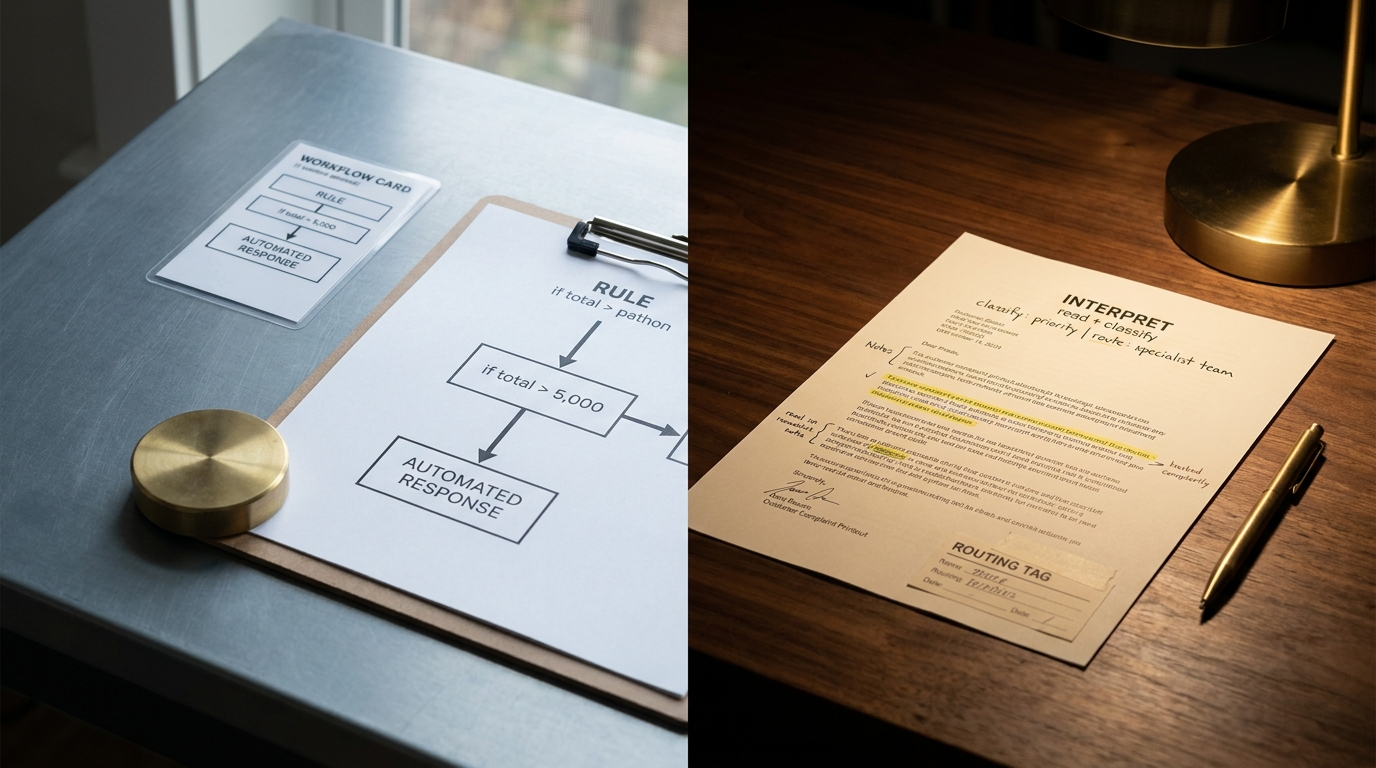
A refund request lands in the support queue. The rule-based automation reads the order number, checks the return window, and stops. It cannot tell that the customer is on their third email, that the real complaint is a damaged item and not the refund at all, or that the tone has slid from annoyed to about-to-churn. A person still has to read the message, work out what it actually needs, and route it by hand. That gap, between the work rules can handle and the work that needs judgment, is the entire territory of AI workflow automation.
Most teams have already automated the easy, structured parts of their operation. What still eats hours is the messy, unstructured, judgment-heavy stuff: reading a complaint, classifying a ticket, summarizing a document, deciding what happens next. This article gives you a plain mental model for where AI fits inside a workflow, one clear rule for when to reach for it, real examples across a few functions, and an honest map of where it breaks. No hype, and no pretending AI belongs in every step, because the fastest way to a slow, expensive, untrustworthy workflow is to put AI everywhere it does not belong.
Quick answer: what AI workflow automation is
AI workflow automation is the practice of putting one or more AI steps, usually powered by a large language model (LLM), inside an automated process so the workflow can interpret unstructured input and make context-dependent decisions instead of only following fixed rules.
The difference from traditional automation, in one sentence: rule-based automation follows a path you defined in advance, while AI workflow automation adds steps that can read, classify, summarize, or decide on input nobody could fully script ahead of time. You are not replacing the workflow with "AI." You are adding a smarter step to a workflow that still has triggers, structured logic, and, ideally, a human checkpoint. Hold onto that framing. Every tradeoff later in this article comes from forgetting it.
Traditional automation vs AI workflow automation
Traditional workflow automation is deterministic. Given the same input, it always does the same thing: if the invoice total is over 5,000, route it for approval. If the form field says "United States," apply US tax. These rules are fast, cheap, predictable, and easy to audit. They are also blind to anything you did not anticipate.
AI-augmented automation adds steps that reason over unstructured or ambiguous input. Instead of matching a field to a rule, an AI step can read a paragraph of free text and answer "what is this customer actually asking for?" That flexibility is the whole point. It is also the source of every tradeoff in this article, which is why it helps to see the two side by side.
| Rule-based automation | AI-augmented automation | |
|---|---|---|
| Input it handles | Structured, predictable fields | Unstructured text, images, mixed signals |
| How it decides | Fixed if/then logic you wrote | Interprets and infers from context |
| Adaptability | Breaks on anything unanticipated | Handles cases you did not script |
| Typical failure mode | Misses the edge case entirely | Confidently gets an edge case wrong |
| Cost and speed | Near-zero, instant | Per-call cost, added latency |
Where rule-based automation still wins
The honest theme starts here: AI is not an upgrade to every rule. When the logic is knowable and stable, a rule wins in every way. Tax calculation, routing by region, threshold approvals, data validation, moving a record between systems when a field changes, all of this should stay deterministic. It is cheaper, faster, and you can prove exactly why it did what it did. Reaching for an LLM to check whether a number is greater than 5,000 is slower, costlier, and less reliable than the comparison operator that has worked for decades.
How an AI workflow actually works
Strip away the marketing and almost every AI workflow has the same skeleton. Learn it once and the "magic box" disappears.
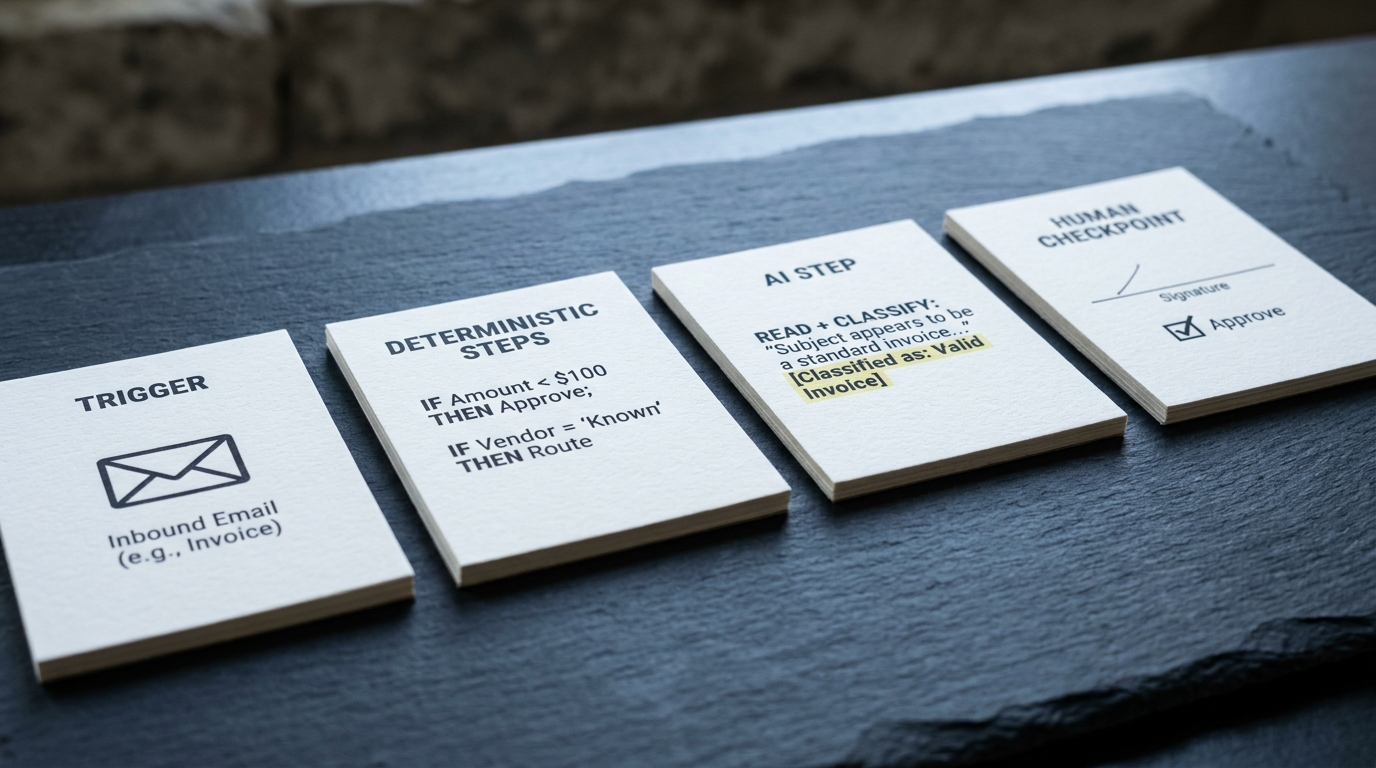
The spine: trigger, deterministic steps, AI step, human checkpoint
- Trigger. Something kicks off the workflow: a new email, a form submission, a file dropped in a folder, a webhook from another app.
- Deterministic steps. Structured work happens with plain logic: pull the customer record, check a status, format a field. No AI needed.
- AI step (or steps). The workflow hands the messy part to a model: read this complaint and classify it, extract the line items from this PDF, summarize this thread.
- Human checkpoint. For anything consequential, a person reviews or approves before the workflow commits an irreversible action.
The mental model to keep: AI is a step inside a workflow, not the workflow itself. The trigger and the structured logic around it are still ordinary automation. The AI step is a specialized worker you call in only when the input needs interpretation.
What an AI step actually does
An AI step almost always does one of a small number of bounded jobs:
- Classify. Sort an input into categories (billing vs technical, urgent vs routine).
- Extract. Pull structured data out of unstructured text (vendor, total, and date from an invoice).
- Summarize. Compress a long thread or document into the few facts the next step needs.
- Route. Decide which branch or which team an item should go to.
- Draft. Produce a first-pass reply, ticket, or summary for a human to approve.
- Decide. Make a bounded call within limits you set, with a fallback when confidence is low.
Naming the job matters more than it looks. A well-scoped AI step ("classify this ticket into one of these five buckets") is far more reliable than a vague one ("handle this ticket"). Vague scope is where most demos break.
Guardrails and human-in-the-loop
The difference between a demo and a production workflow is the guardrails around the AI step:
- Validation. Check the model's output against a schema or a known list before using it. An extracted total that is not a number gets caught, not posted.
- Confidence thresholds. When the model is unsure, route to a human instead of guessing.
- Fallbacks. Define what happens when the AI step fails or times out, so the workflow degrades gracefully rather than stalling.
- Human-in-the-loop. Keep a person on any action that is expensive to undo: issuing a refund, closing an account, sending an external message at scale.
Deterministic steps vs AI steps: when to use which
This is the decision most competitor articles bury, and it is the single most useful thing to take away.
Use a deterministic step when the logic is knowable and stable. If you can write the rule down, write the rule. It will be faster, cheaper, and auditable.
Use an AI step when the input is unstructured, or when the rules are too many to enumerate. If the input is free text, an image, or a mix of signals, and no reasonable set of if/then rules would cover it, that is the job for an AI step.
The trap to avoid: using AI for every step because it feels modern. An all-AI workflow is slower (every LLM call adds latency), more expensive (you pay per call), and less reliable (every AI step is another place a confident wrong answer can enter). The pattern that works is a mostly deterministic workflow with AI applied precisely where interpretation is needed.
AI agents vs simple AI steps
"Agentic" is the word of the moment, so it is worth pinning down once. An AI step does one bounded task and returns: classify this, extract that. An AI agent plans a sequence of actions, chooses which tools to call, and loops, taking a result, deciding what to do next, and acting again, until it reaches a goal or a stop condition.
Agents are powerful and harder to control, and both traits come from the same place. The loop that lets an agent handle an open-ended goal is the same loop that lets it run up cost, take an unexpected action, or fail in a way that is hard to trace. Most workflows do not need one. If your process is "read this, decide among a few known options, do the matching action," a single AI step with guardrails is simpler, cheaper, and easier to trust. Reach for an agent when the task requires multi-step planning and tool use you cannot lay out in advance, and even then, keep it inside the same guardrails: bounded permissions, a human checkpoint, and a hard stop.
Real examples of AI workflow automation
Concrete beats abstract. Here are four, one per function, each in the same shape: trigger, what the AI does, outcome. Watch the same division of labor repeat in every one.
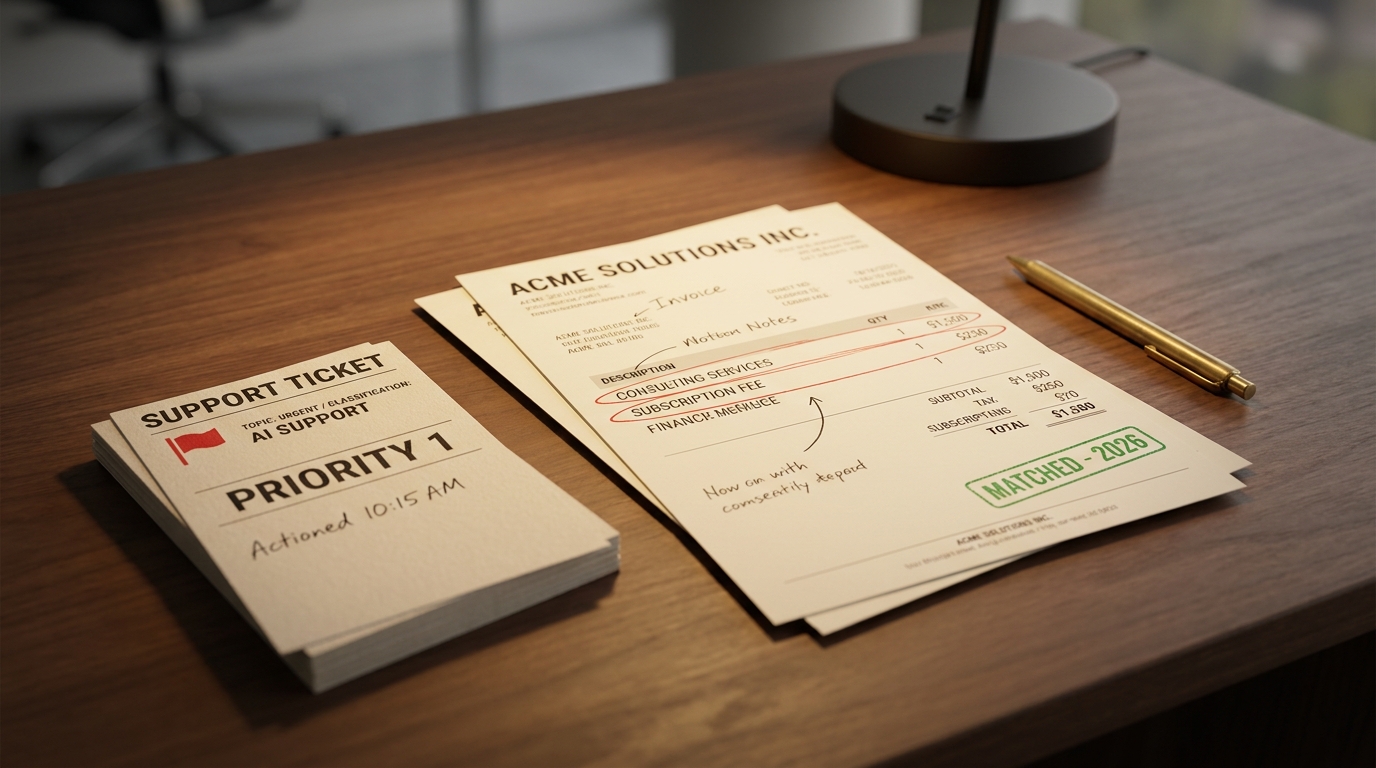
Support ticket triage and routing.
- Trigger: a new support ticket arrives.
- AI does: reads the message, classifies it by topic and urgency, and drafts a suggested reply.
- Outcome: the ticket lands with the right team pre-tagged, and the agent starts from a draft instead of a blank box. Deterministic rules still handle SLA timers and assignment once the category is set.
Customer complaint intake.
- Trigger: a complaint comes in by email or web form.
- AI does: classifies the complaint type, extracts the key facts (order, product, what went wrong), and checks tone for escalation risk.
- Outcome: a tracked issue is created with the right fields filled in, and the angriest cases get flagged for a human first.
Security incident response.
- Trigger: an alert fires.
- AI does: summarizes the alert, retrieves similar past incidents and relevant threat intel using RAG (retrieval-augmented generation, where the model pulls in your own documents before answering), and proposes a first-response checklist.
- Outcome: the on-call responder opens the incident with context already assembled instead of starting a search from scratch. The AI proposes, a human decides.
Document and invoice processing.
- Trigger: an invoice PDF lands in a shared folder.
- AI does: extracts vendor, line items, totals, and dates into structured fields.
- Outcome: a deterministic step validates the numbers against the purchase order, and only clean matches post automatically. Anything off routes to a person. The AI reads, the rules verify.
The pattern across all four is the whole lesson: the AI step handles interpretation, deterministic logic handles verification, and a human stays on the consequential calls.
The benefits, by who feels them
Benefits land differently depending on the seat you sit in, so it helps to frame them by role rather than as a generic list. Treat any numbers you have seen elsewhere as labeled estimates, not facts, because credible, dated figures for this are scarce.
- Operations leads get throughput: work that queued up waiting for a human to read and sort it starts moving on arrival.
- Support teams get faster first response, because tickets arrive classified and drafted instead of raw.
- Finance and back-office teams get fewer manual touches on high-volume, repetitive intake like invoices and forms.
- IT and security get faster context assembly on incidents, so responders spend time deciding rather than gathering.
- Executives get capacity back without proportional headcount, which is the outcome most AI adoption is actually chasing.
The honest framing: these are real gains where the work is high-volume and interpretation-heavy. They are marginal or negative where the work was already structured and a rule would have done the job. If you want a grounded read on where these gains are realistic for your own processes before you invest, our AI Readiness Snapshot is a free 30-minute session built for exactly that question.
Where AI workflow automation breaks (and how to avoid it)
This is the section nobody else writes, and it is the most useful one. Every AI step you add is also a new way for the workflow to fail. Design for these from the start, not after the first bad week in production.
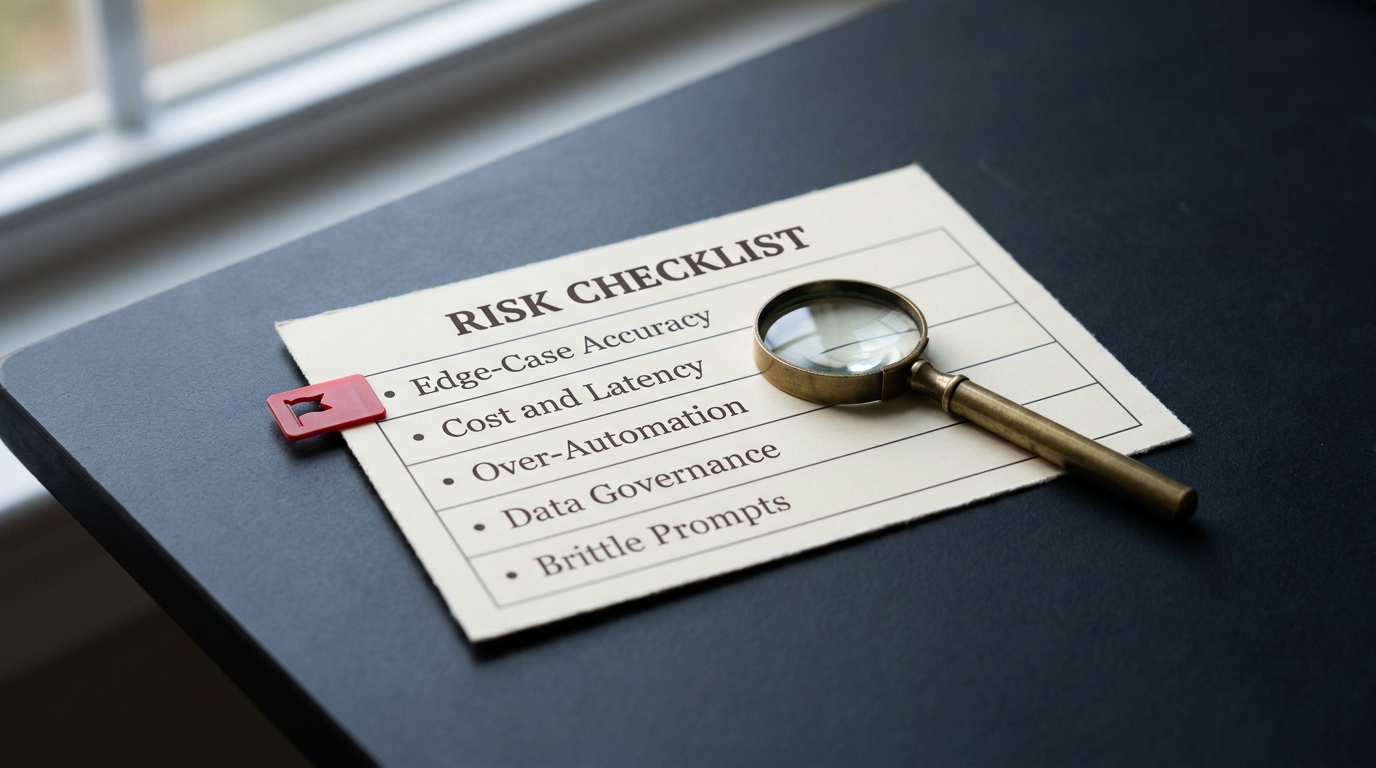
- Accuracy on edge cases. Models produce confident, wrong answers on inputs they have not really seen. Mitigation: validate every AI output against a schema or known list, and route low-confidence cases to a human.
- Cost and latency. Every LLM call costs money and adds seconds. Wrap a whole workflow in AI and you have made it slow and expensive. Mitigation: use AI only on the steps that need interpretation, keep the rest deterministic.
- Over-automation with no fallback. A workflow that commits irreversible actions with no human checkpoint will eventually commit a wrong one at scale. Mitigation: keep a human on anything costly to undo, and define graceful fallbacks when the AI step fails.
- Data privacy and governance. Sending regulated or sensitive data to a model raises real compliance questions for many teams. Mitigation: know what data flows to which provider, apply your data-handling rules to AI steps like any other vendor, and involve security early.
- Brittle prompts. A workflow held together by one carefully worded prompt breaks silently when inputs drift. Mitigation: scope each AI step to one narrow job, test against real historical inputs, and monitor outputs over time.
Governing this well, deciding what data goes where, where humans stay in the loop, and how you monitor drift, is where most teams need a plan more than a tool. If that is where you are, AI Transformation Discovery is built to scope exactly those questions.
How to get started: a safe first project
You do not start by rebuilding your operation. You add one AI step to one workflow.
Pick a first project that is:
- High-volume, so the payoff is visible quickly.
- Low-stakes, so a wrong answer is cheap to catch and correct.
- Unstructured-input, so AI actually earns its place over a rule.
Ticket classification, complaint intake, and first-draft replies all fit. The on-ramp:
- Take an existing workflow you already trust.
- Add exactly one AI step where interpretation is the bottleneck.
- Keep a human checkpoint on the output.
- Measure before and after: time saved, error rate, how often the human overrides the AI.
That last measurement is the whole game. It tells you whether to expand the AI step, tighten its guardrails, or roll it back. Building and operating these workflows without hiring a dedicated AI team is a common blocker. A Fractional Agentic Team can stand up and run them alongside your people while your team learns the pattern.
The tooling landscape at a glance
The market sorts into a few categories. This is a map, not a ranking, and the right choice depends on where you already work.

- General connectors (Zapier, Make): broad app coverage and AI steps bolted onto familiar automation. Best for non-developers automating across many SaaS tools.
- Developer and self-host (n8n): more control, self-hosting, and room to build custom AI logic. Best for technical teams that want to own the stack.
- Enterprise iPaaS (Workato): integration-platform-as-a-service (iPaaS) with governance and scale. Best for larger orgs with many systems and compliance needs.
- Microsoft-native (Power Automate with Copilot): deep fit if your work already lives in Microsoft 365. Best for Microsoft-centric shops.
- RPA-origin (UiPath, Automation Anywhere): robotic process automation (RPA) roots, strong on desktop and legacy-system automation now adding AI. Best where you automate older applications with no APIs.
Which one wins depends on your existing stack, your team's skills, and your governance needs. A detailed head-to-head comparison of AI workflow automation tools is worth its own article, rather than a rushed ranking here.
Key takeaways
- AI workflow automation adds AI steps that interpret unstructured input to a workflow that still runs on triggers, deterministic logic, and human checkpoints.
- The spine of almost every AI workflow: trigger, deterministic steps, AI step, human checkpoint.
- The rule that matters: deterministic step when the logic is knowable and stable, AI step when the input is unstructured or the rules are too many to write down.
- Most workflows need a bounded AI step, not an agent. Reach for agents only when the task requires multi-step planning.
- It breaks on edge-case accuracy, cost and latency, over-automation, and data governance. Design guardrails for each from day one.
- Start with one AI step in one high-volume, low-stakes workflow, keep a human in the loop, and measure.
AI is a step inside a workflow, not the whole workflow. Get that mental model right, apply the deterministic-versus-AI rule honestly, and start with one safe project you can measure. That is how AI workflow automation earns its place instead of becoming the expensive, brittle layer nobody trusts.