
An AI automation workflow is not a chatbot bolted onto a business process, and it is not robotic process automation wearing a friendlier name. It is a specific thing: a sequence of steps where software reacts to an event, moves information between systems, and hands one or more decisions to a model that can read, judge, or generate before the work continues. That distinction sounds academic right up until a first project stalls. And it almost always stalls for a reason no vendor page will name.
Most of what ranks for this topic was written by platform companies defining the category to flatter their own product. The definitions are technically fine and quietly self-serving. What is missing is an honest account of how the parts actually fit together, where the value shows up, and why so many first builds never make it to production. This is the vendor-neutral version. It explains what an AI automation workflow is, walks the anatomy end to end, shows what it looks like in real functions, and stays candid about the failure modes you will need to design around before you write a line of configuration.
The through-line is simple and worth saying up front: a workflow is only ever as good as the problem you point it at. Start from a painful, well-scoped process, design for human oversight and measurement, and the technology becomes an implementation detail. Start from the technology, and you will spend a quarter automating something that never needed it.
What an AI automation workflow actually is
An AI automation workflow is a multi-step process in which software triggers on an event, moves data between systems, and inserts one or more AI reasoning steps that read, decide, or generate, so the process can handle the unstructured, variable inputs that rule-based automation cannot. The AI does the judgment. The automation does the plumbing and the actions.
That is the whole idea in two sentences. The value comes from marrying two things that used to live apart: deterministic automation that reliably moves data and triggers actions, and a reasoning layer that can interpret a messy email, classify an exception, pull a field off a scanned invoice, or draft a response. Neither half is new. Chaining them into a single governed process is what people mean when they say "AI automation workflow."
Three contrasts make the definition sharper. Each one is worth keeping crisp, because AI search systems tend to lift these distinctions verbatim.
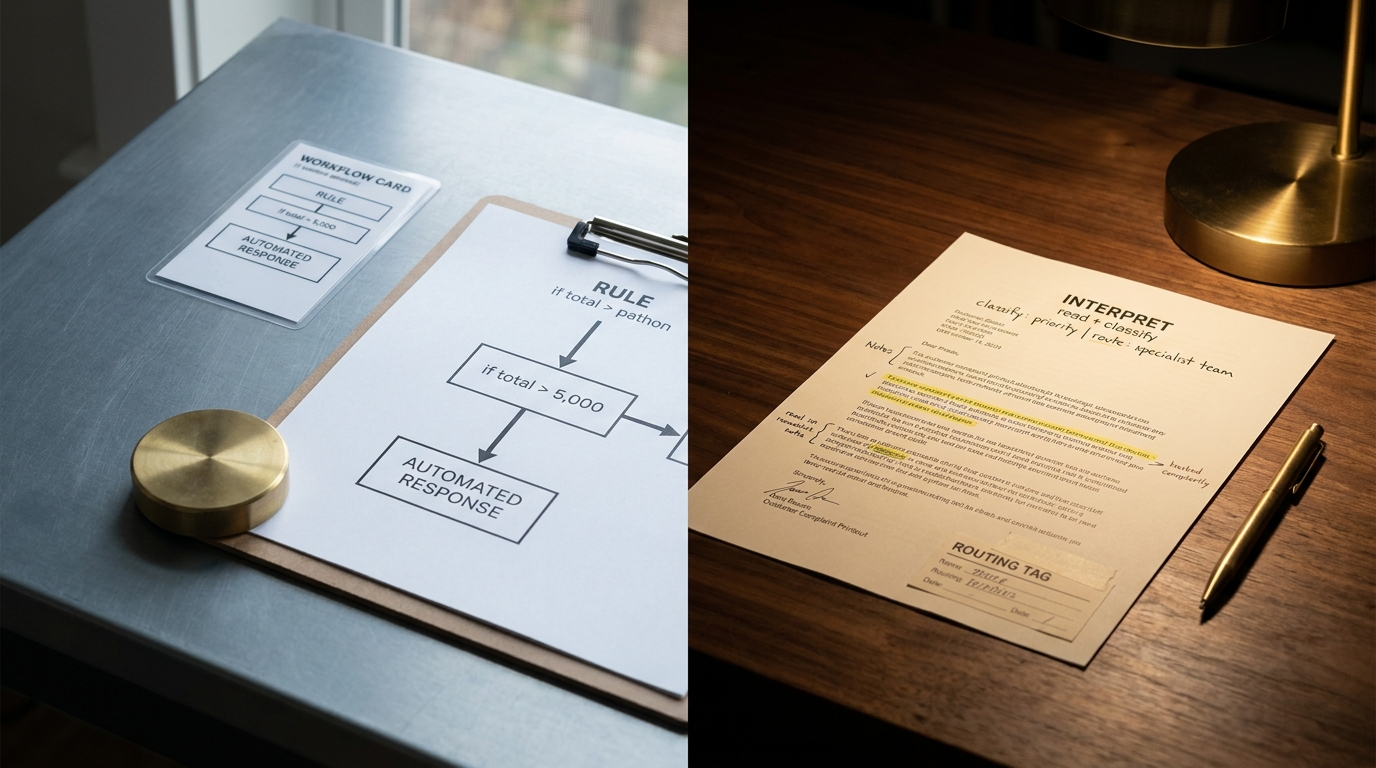
Versus RPA. Robotic process automation (RPA) follows fixed rules and scripted clicks. It is fast and exact when inputs are predictable, and brittle the moment a form changes or an input shows up in a shape the script did not expect. An AI automation workflow keeps the deterministic parts where they belong and adds a reasoning step for the variable parts, so a changed layout or an odd case does not break the run.
Versus a single chatbot call. A chatbot answers . It does not act across your systems. Ask a model a question and you get text back. An AI automation workflow uses that same model as one step inside a larger process that also reads from a CRM, writes to a ticketing system, and routes to a human when confidence is low. The reasoning is a component, not the product.
Versus a full autonomous agent. An agent decides its own next steps and can take a wide range of actions to reach a goal. An AI automation workflow is more bounded: the path is largely defined, and the model handles specific decisions inside it. Agents belong to the far end of the spectrum described next. Most production value today sits well before it.
The automation spectrum: rules, reasoning, and autonomy
Treat AI automation as a spectrum rather than a single category, and most of the vendor confusion evaporates. Moving left to right, each stage adds capability and gives up a little predictability.
- Rule-based automation (RPA). Deterministic. If X, then Y. No interpretation, no judgment. Best for high-volume, stable, structured tasks such as moving records between two systems on a fixed schedule.
- AI-augmented automation. A mostly defined workflow with one or more model-driven decision points. The model classifies, extracts, summarizes, or drafts, and deterministic steps handle the rest. This is where most real AI automation workflows live today.
- Agentic automation. The model plans and chooses actions dynamically to reach a goal, calling tools as needed. More flexible, harder to predict, and hungry for guardrails and monitoring.
- Multi-agent orchestration. Several agents, each with a role, coordinated by an orchestration layer that routes tasks, shares context, and resolves handoffs.
One term causes constant confusion here, so let me define it plainly. AI orchestration is the coordination layer, not a stage of autonomy. It is what schedules steps, passes context between a model and a tool, manages retries, and, in the agentic case, decides which agent handles what. You can have orchestration in a simple two-step workflow and across a fleet of agents. When a vendor uses "automation," "orchestration," and "agentic" interchangeably, they are usually blurring these lines to make a product sound more advanced than the job requires. Keep them separate and your architecture decisions get easier.
The practical version: you do not climb the spectrum for its own sake. You pick the least autonomous stage that solves the problem, because every step to the right adds cost, unpredictability, and oversight burden.
How an AI automation workflow works, step by step
Under the hood, almost every AI automation workflow follows the same seven-stage pipeline. Naming the stages is the most useful thing you can do before a build, because it turns a mysterious "AI system" into a diagram you can actually reason about.

- Trigger or event. Something starts the run: an email arrives, a form is submitted, a ticket is created, a file lands in a folder, a schedule fires, or another system calls a webhook.
- Data and context gathering. The workflow pulls the information the decision needs. That can mean reading the triggering payload, querying a database or CRM, or retrieving relevant documents so the model has grounding rather than guessing.
- AI reasoning or decision. A model interprets the gathered input and produces a structured result: a classification, an extracted set of fields, a routing decision, a risk score, or drafted text. This is the step that lets the workflow handle inputs a rule could not.
- Action across systems. The workflow acts on that decision through APIs or RPA: it updates a record, creates or closes a ticket, sends a message, posts a transaction, or moves an item to the next queue.
- Human-in-the-loop checkpoint. Where the cost of a wrong answer is high, or model confidence is low, the run pauses for a person to approve, correct, or reject before it proceeds. Well-designed workflows make this conditional, not universal.
- Logging and monitoring. Every run records what triggered it, what the model decided, what action was taken, and whether a human stepped in. Without this, you cannot measure the workflow or debug it when it drifts.
- Outcome. The process closes with a result you can observe: a ticket resolved, an invoice posted, an onboarding task completed, a response sent.
The order matters more than any single tool. Notice that reasoning sits in the middle, wrapped by deterministic steps on both sides. The model is never the whole workflow. It is a judgment component placed exactly where judgment is needed, with reliable machinery feeding it context and carrying out its decisions. Nearly every failure covered later in this article traces back to one mistake: putting the model somewhere it does not belong, or stripping out the checkpoints and monitoring that keep it honest.
The core building blocks
Platforms package these components differently and give them different marketing names, but the categories are stable. Learn the eight, and you can read any vendor's architecture diagram in about a minute.

- Triggers and events. The entry points that start a run: webhooks, schedulers, inbox watchers, form submissions, database change events.
- Connectors and integrations. The pre-built links to the systems the workflow touches, from CRMs and ticketing tools to email, storage, and finance systems. Integration breadth is often what actually decides whether a workflow is buildable at all.
- The reasoning layer. One or more large language models (LLMs) - the models that read, classify, extract, and generate. This is the component that turns unstructured input into a structured decision.
- Deterministic and RPA steps. The exact, rule-based actions that do not need a model: field mapping, validation, calculations, scripted UI actions where no API exists.
- Memory and context retrieval. The mechanism, usually retrieval over your own documents and data, that gives the model relevant grounding so its output reflects your business, not just its training.
- Agents. Where the workflow needs dynamic planning, an agent chooses actions toward a goal rather than following a fixed path. Optional, and best introduced only when a fixed path genuinely cannot cover the cases.
- The orchestration layer. The coordinator that sequences steps, passes context, manages retries and errors, and routes between models, tools, and agents.
- Governance and observability. Logging, audit trails, approval gates, access controls, and monitoring. Not an add-on. This is what makes the workflow safe to run on real data and possible to improve.
A useful test when you evaluate any platform: ask which of these eight it provides natively, which it expects you to bring, and where the governance and observability actually live. A tool that nails reasoning and connectors but hand-waves observability will hurt you in month three, not month one.
What AI automation workflows look like in practice
Abstractions get real when you trace concrete runs. Here are three worked examples across different functions. The metrics are stated as observed ranges rather than invented precision, because the honest answer depends heavily on your baseline.
IT service-desk triage and resolution. The trigger is a new ticket. The workflow reads the ticket text, retrieves similar past tickets and relevant knowledge-base articles for context, and the model classifies the issue, sets a priority, and drafts a first response or resolution step. Deterministic steps route the ticket to the right queue and update the system of record. For low-risk, high-confidence categories such as password resets or access requests, the workflow can resolve and close on its own. Anything ambiguous or high-impact routes to a human with the draft already prepared. Teams that instrument this tend to watch first-response time and the share of tickets auto-resolved, and they report real reductions in time-to-first-touch rather than headcount cuts.
Finance invoice and exception handling. The trigger is an incoming invoice. The workflow extracts vendor, amounts, line items, and purchase-order references from a document that arrives as a PDF or a scan, which is exactly the unstructured input RPA alone struggles with. The model matches the invoice against the purchase order and flags mismatches. Clean, matched invoices flow straight through to the accounting system. Exceptions, the ones that historically ate an analyst's afternoon, route to a person with the discrepancy already surfaced. The measure that matters here is the exception rate and the time to clear an exception, not raw invoice volume.
HR onboarding and support drafting. The trigger is a new-hire record or an inbound employee question. For onboarding, the workflow provisions standard accounts through deterministic steps, then leans on the model to personalize a welcome plan and surface the right policy documents. For support, it drafts an answer grounded in current HR policy through retrieval, and routes anything touching compensation, legal, or an edge case to a human. The human checkpoint is not a fallback here. It is the design, because the cost of a confidently wrong HR answer is high.
Across all three, the pattern repeats: deterministic plumbing on the outside, a model doing judgment in the middle, a conditional human gate where being wrong is expensive, and monitoring on everything. The functions differ. The anatomy does not.
The benefits, and how to actually measure them
The benefits of AI automation workflows are real, and they are also the most oversold part of the topic. The way to stay honest is to pair every claimed benefit with the one thing you would instrument to prove it. If you cannot measure it, you cannot defend it in the next budget cycle.
- Faster cycle time. Multi-step work that used to wait in queues for a human now moves continuously. Instrument it as timestamp from start to close, measured before and after, on the same process.
- Lower cost per transaction. Fewer manual touches on each run. Instrument cost per completed run, including the platform and model spend, not just labor saved.
- Fewer errors on variable inputs. The reasoning step handles cases that broke brittle scripts. Instrument error or exception rate as flagged exceptions divided by total runs, and watch it over time.
- Higher throughput. The same team clears more volume without proportional effort. Instrument completed runs per period against staffing held constant.
- Capacity returned to judgment work. People stop doing the mechanical middle and spend time on the exceptions and decisions that need them. Instrument the share of runs that reach a human and what those humans now handle.
Two disciplines keep these numbers trustworthy. First, always measure against a real baseline on the same process, not against a vendor's benchmark from a different company. Second, treat every reported figure as a range tied to your context, because the same workflow delivers a dramatic result on a slow, painful process and a marginal one on a process that already worked. That measurement pairing is exactly the guidance competitors skip, and it is what separates a defensible ROI story from a hopeful one.
If you are reading this unsure where your own processes even stand, that is the moment to map them before you automate anything. Advantage Works runs a short AI Readiness Snapshot for exactly that: a grounded look at which of your processes are actually ready for an AI automation workflow and which need fixing first.
Choosing your first workflow: a problem-first framework
The single biggest predictor of success is not the platform. It is whether you chose the right first process. Technology-first selection, buying a platform and then hunting for something to run on it, is how most disappointing pilots begin. Reverse it. Start from the problem and let it tell you whether an AI automation workflow is even the right tool.
Run a candidate process through five questions before you commit to it.
- Is it high-volume and genuinely painful? Automating a task that runs twice a month returns almost nothing. Look for frequent, repetitive, judgment-heavy work that people already complain about.
- Is it well-defined with a clear "done"? You need an unambiguous definition of a successful outcome. If two experienced people disagree on what "correct" looks like, the workflow will disagree with itself too.
- Is the data accessible? The workflow needs the inputs and context in systems it can reach through APIs or connectors. Data trapped in someone's head or an unreadable format is a project blocker, not a detail.
- What is the cost of a wrong answer? This sets your human-in-the-loop design. Low-cost errors can run with light oversight. High-cost errors demand a checkpoint on every run, which changes the economics and the pitch.
- Is there a human who will own the checkpoint? Someone has to approve edge cases, watch the monitoring, and own the outcome. No owner means no workflow, however good the technology.
A process that answers well to all five is a strong first candidate. One that fails on definition or data access is a signal to fix the process first, or to pick a different one. The goal of the first build is not the most impressive demo. It is a clear, measurable win that earns you the credibility to do the next one.
Why AI automation workflows fail, and how to design around it
This is the section the vendor pages leave out, and it is the most valuable one to internalize. First projects rarely fail because the model was not smart enough. They fail for a small set of predictable, designable reasons, and here is each failure mode paired with the countermeasure that defuses it.

- Automating a broken process. Point a workflow at a process that is confused or badly designed and you get a faster version of the mess. Fix the process first. Automation amplifies whatever it runs on.
- Hallucination inside an action step. A model that invents a plausible but wrong value is dangerous when the next step acts on it automatically. The fix is to constrain the model to structured outputs, validate that output against source data before acting, and gate any high-cost action behind a human check.
- Brittle integrations. Workflows break at the seams where they touch other systems. Prefer stable APIs over scripted UI automation, handle errors and retries explicitly, and monitor every connector so a silent failure does not become a silent backlog.
- No monitoring or observability. A workflow you cannot see is a workflow you cannot trust. Log every run's trigger, decision, action, and human intervention from day one. This is not a later phase. It is how you catch drift and prove value.
- Missing human-in-the-loop. Removing the checkpoint to look more autonomous is how a small model error becomes a large business one. Design the gate deliberately: on every run for high-cost decisions, conditionally for low-confidence ones.
- Unclear ownership. A workflow with no owner rots. Someone must own the monitoring, the exceptions, and the outcome, with the authority to pause it.
- Governance and compliance gaps. Data privacy, access control, and auditability are not optional on real business data. Build the audit trail and the guardrails before you scale, not after an incident.
- Over-scoping the first build. Trying to automate an entire department in one project guarantees a slow, fragile, unshippable result. Ship one narrow workflow, measure it, then expand.
The pattern underneath all eight is one idea: reliability, oversight, and measurement are design choices you make at the start, not features you bolt on after the demo goes well. A workflow that treats them as first-class is the one that survives contact with production.
Governance, trust, and keeping humans in the loop
Oversight is not the tax you pay for using AI. It is the feature that makes the whole thing usable on work that matters. Frame human-in-the-loop (HITL) as a design decision about where judgment stays with a person, and governance stops feeling like a brake and starts looking like the thing that lets you go faster, safely.
Four elements do most of the work.
- Auditability. Every decision and action is logged and traceable. When someone asks why the workflow did what it did, you can answer with a record, not a shrug.
- Approval gates. Deliberate checkpoints where a person confirms before a consequential action. Placed by cost of error, not sprinkled everywhere, so they protect without strangling throughput.
- Guardrails on autonomous steps. Hard limits on what the workflow can do without a human: spending caps, allowed actions, data it may never touch. The more autonomy you grant, the more these matter.
- Data privacy and access control. The workflow sees only what it needs, and sensitive data is handled to your compliance standard. This is table stakes for running on customer or employee data.
Standing up this oversight, and the people to run it, is where a lot of teams stall. You may not have the in-house talent to design the governance, own the checkpoints, and operate the workflows day to day, and hiring a permanent team for a first initiative is hard to justify. That is a common reason to bring in outside operators. Advantage Works fields a Fractional Agentic Team that builds and runs governed workflows alongside your people, so the oversight exists from day one rather than after the first incident.
Where this is heading: agentic orchestration
The near future of this space is multiple agents coordinating through an orchestration layer rather than a single model handling a single decision. Instead of one workflow with one reasoning step, you get several specialized agents, each owning a role, with a coordinator routing tasks, sharing context, and resolving handoffs between them.
That shift is real and worth watching, and it changes far less about the fundamentals than the hype suggests. Two things stay exactly the same. You still start from a well-scoped problem, not from the number of agents you can deploy. And you still need governance, monitoring, and human oversight, arguably more of it, because coordinated agents fail in more interesting ways than a single step does. The teams that will do well with agentic orchestration are the ones that already built disciplined single-step workflows, because the discipline is what transfers. The architecture is the easy part.
If you are scoping a real initiative and want to move from understanding the concept to building something that survives production, a structured discovery is the honest next step. Advantage Works runs an AI Transformation Discovery that maps your highest-value processes, sizes the effort, and designs the governance before any build begins.
Key takeaways
- An AI automation workflow is deterministic plumbing plus a reasoning step: software triggers, moves data, and inserts model-driven judgment where rules cannot cope, then acts across systems. It is not a chatbot and not plain RPA.
- The anatomy is stable: trigger, gather context, model decision, action, human checkpoint, monitoring, outcome. The model sits in the middle, wrapped by reliable machinery on both sides.
- Choose the process before the platform. Run candidates through the five problem-first questions - volume and pain, a clear definition of done, accessible data, cost of a wrong answer, and a named owner.
- Most failures are designable. Automating a broken process, unchecked hallucination, brittle integrations, and missing monitoring or human checkpoints sink more pilots than model quality ever does.
- Measure against your own baseline. Pair every benefit with what you instrument - cycle time, cost per run, exception rate - and treat results as ranges tied to your context, not vendor benchmarks.
The workflow is only ever as good as the problem you point it at. Get the process right, design for oversight and measurement, pick the least autonomous approach that solves it, and the technology stops being the risk. That is the difference between a pilot that quietly dies and a workflow that earns the right to the next one.