
Eighty-eight percent of organizations now run AI in at least one business function. That is where McKinsey's 2025 State of AI survey puts it, up from 78 percent a year earlier. Then you walk into those same companies, watch how the work actually moves, and the number stops meaning much. Someone is copying a value out of one system and retyping it into another. A rules-based automation just choked on an invoice that did not match its template. Last quarter's AI pilot dazzled everyone in the demo and never shipped. AI is all over the org chart and almost nowhere in the actual flow of work.
That gap - AI everywhere in theory, manual work everywhere in practice - is what AI-powered workflow automation exists to close. Traditional automation already handles the predictable steps. What it cannot touch is the judgment in the middle: reading a messy email, deciding which category a request belongs to, pulling the right fields out of a document that never looks the same twice. Those are the steps where processes stall, and where people burn their days. AI-powered workflow automation puts a reasoning layer on exactly those steps, then chains them to the triggers and actions you already know, so a whole process can run end to end.
Here is what the rest of this article walks through: what AI-powered workflow automation actually is, how it differs from the automation and RPA you may already have, how the pieces fit together, what it looks like across real departments, and how to pick your first workflow without stalling in a pilot.
Quick answer: AI-powered workflow automation uses artificial intelligence to handle the decision and judgment steps inside a process - classifying, extracting, drafting, and routing - and chains those steps with triggers and actions so an entire workflow runs with little or no human touch. Unlike traditional rule-based automation, which only follows fixed if-this-then-that logic, it adapts to messy, unstructured inputs.
What AI-powered workflow automation is, and how it differs from traditional automation and RPA
AI-powered workflow automation is the use of AI models inside an automated process to handle the steps that need interpretation or a decision, wired into the systems where the work lives so the process finishes without a person nudging it along.
The cleanest way to understand it is to pull it apart from the two things people keep confusing it with.
- Traditional workflow automation runs on fixed rules. If a form is submitted, create a record. If a deal hits "closed won," fire the onboarding email. It is fast, reliable, and completely literal. It does what its rules say and nothing more, so the moment an input does not fit the rule, it stops or does the wrong thing.
- Robotic process automation (RPA) mimics a person operating software. A bot clicks the buttons, copies the fields, and moves between screens the way a human would. It shines at connecting old systems that have no API, but it is brittle: change a screen layout and the bot breaks, because it never understood what it was doing, only where to click.
- AI-powered workflow automation adds a reasoning layer on top. Rather than only following rules or replaying clicks, it can read unstructured input - an email, a PDF, a chat message - work out what it means, and choose the next action. It absorbs the ambiguity that made the earlier approaches stall.
A short way to hold the distinction: traditional automation follows rules, RPA imitates hands, and AI-powered automation supplies judgment. The three are not rivals. Most real systems run all three at once. The AI reads the invoice and decides the general-ledger code, a rule routes anything over a threshold to a manager, and an integration writes the result into the accounting system.
One word you will see everywhere is "agentic." An agentic workflow is one where the AI does not just handle a single step but plans and carries out a whole sequence toward a goal, deciding what to do next as it goes. It earns its own section later on. For now, treat it as the more autonomous end of the same spectrum. First, though, the anatomy - because that judgment layer only pays off when the parts around it are built right.
The components: how an AI-powered workflow actually runs
Underneath, almost every AI-powered workflow is built from the same five parts. Naming them takes most of the mystery out and makes the thing much easier to plan.

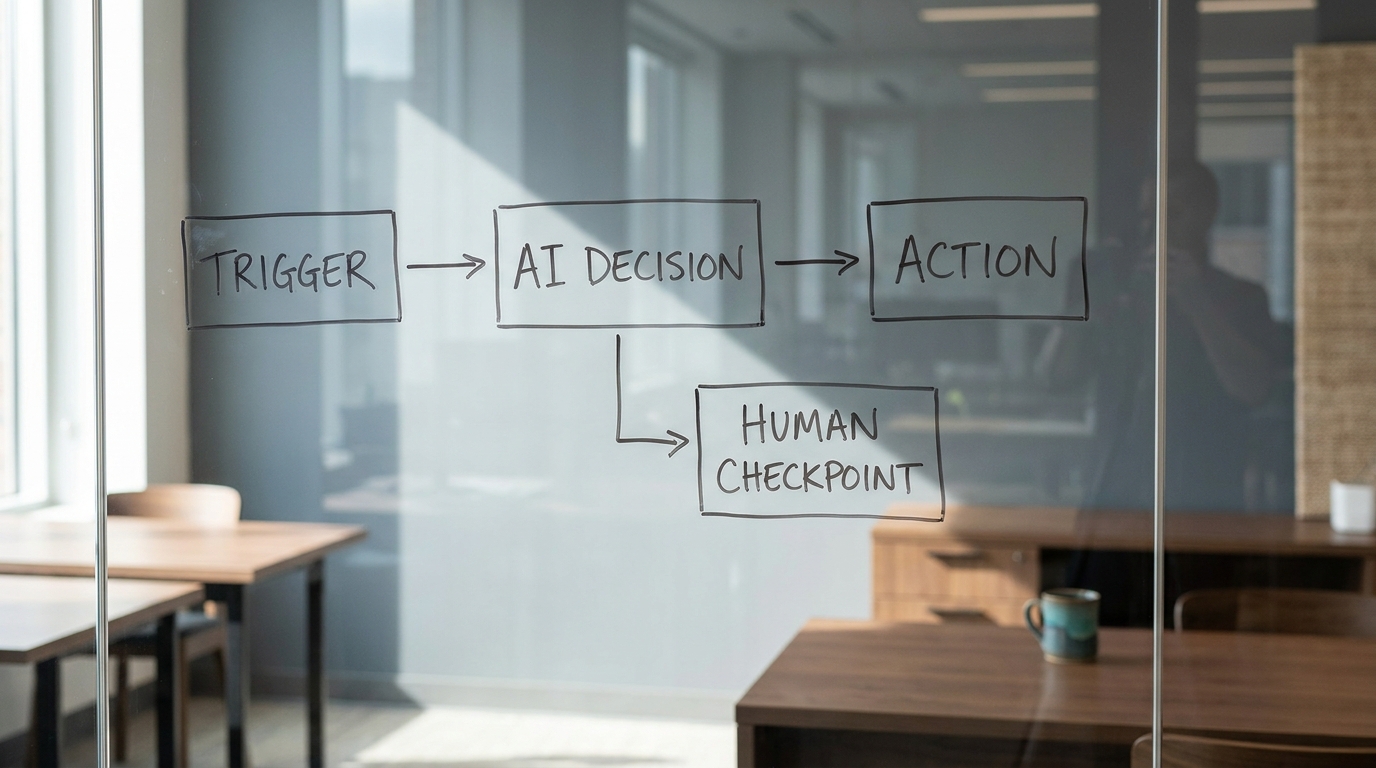
- A trigger. Something kicks the workflow off: an email arrives, a form is submitted, a file lands in a folder, a ticket is created, or a schedule fires. This part is identical to traditional automation.
- The AI reasoning and decision layer. This is what makes it AI-powered. The model reads the input and does one or more of a small set of jobs: classify it (what kind of request is this?), extract from it (pull the amount, date, and vendor), summarize it, draft a response, or decide the next step. This layer does the unstructured, judgment-heavy work that rules cannot.
- Actions. The workflow does something with the decision: create or update a record, send a reply, generate a document, post to a channel, or kick off another workflow.
- The connected systems. The trigger, the data, and the actions all live in real tools - email, CRM, help desk, ERP, document storage, messaging. Integrations wire the workflow into them so it can read and write where the work actually happens.
- Human-in-the-loop checkpoints. For anything consequential, a person reviews or approves before the action commits. Good systems treat this as a deliberate design choice, not an afterthought: high-confidence cases run on their own, low-confidence or high-stakes cases pause for a human.
Once the parts are named, the flow is easy to picture: a trigger fires, the AI layer reads and decides, a checkpoint optionally routes it to a person, and an action writes the result back into a connected system. Everything else is a variation on that chain.
Two design decisions separate the systems that hold up from the ones that quietly fail. The first is where you place the human checkpoints , which should track how costly a mistake would be rather than sitting on or off everywhere. The second is what happens on low confidence: a well-built workflow knows when it is unsure and escalates, instead of guessing and writing a wrong answer into a system of record. Keep those two decisions in mind - they are the difference between the examples below working and backfiring.
Real examples across departments
The pattern is easiest to trust once you see it applied to work you recognize. Each of these runs the same trigger to decision to action chain, described as a pattern rather than a specific product.

Customer support: triage and draft. A ticket arrives. The AI layer reads it, classifies the issue type and urgency, checks the customer's recent history, and drafts a reply grounded in the help center. Straightforward cases route to the drafted response for a quick agent approval. Ambiguous or angry ones escalate to a senior agent with a summary attached. What you get is faster first responses and agents who spend their time on the hard tickets instead of sorting the queue.
Finance: invoice and accounts-payable intake. An invoice lands in an inbox as a PDF. The AI extracts the vendor, amount, line items, and dates, matches it against the purchase order, and proposes a general-ledger code. Anything clean and under a threshold moves straight to the approval queue. Anything mismatched or large gets flagged for a person, with the discrepancy spelled out. The judgment step that used to bottleneck the close - reading each invoice and coding it - is handled, and the exceptions surface clearly.
Sales and CRM: enrichment and follow-up. A new lead comes in. The workflow enriches it with firmographic data, scores it against your ideal-customer profile, updates the CRM, and drafts a tailored first follow-up for the owner to review and send. Reps stop losing hours to research and data entry, and no lead sits untouched because the routing was waiting on a human.
Operations and HR: onboarding across systems. A new hire is marked "accepted." The workflow reads the offer details, creates accounts across the tools that person needs, generates the right onboarding checklist for their role, schedules the first-week sessions, and files the paperwork. What used to be a dozen manual steps across five systems now runs as one process, with a person confirming access before anything sensitive is granted.
Four departments, one shape. In every case, AI is not replacing the whole job. It is taking over the specific judgment step - classify, extract, score, draft - that used to force a human to touch the process just to keep it moving.
The benefits, and the mechanism behind each
Listing benefits is easy, and easy to tune out, because every automation vendor claims the same ones. What makes a benefit credible is naming the mechanism that produces it. If you cannot point to the mechanism, treat the benefit as marketing.
- Time saved, because the judgment step no longer blocks the flow. Most processes do not wait on the mechanical steps. They wait on the one step that needed a person to read something and decide. Automate that step and the whole chain moves at machine speed.
- Fewer errors, because extraction and classification stay consistent. A model that reads every invoice the same way does not get tired at 5 p.m. or transpose a figure on the fortieth document. The error reduction comes from consistency, not brilliance.
- Scale without linear headcount, because the work runs on demand. A workflow handles ten items or ten thousand at a near-flat per-item cost and never forms a queue overnight. Volume stops being a hiring problem.
- Better work for people, because they move off transfer-and-retype tasks. When the copy-paste-between-systems work disappears, the human time left over is the judgment, the exceptions, and the relationships - the parts that actually need a person.
Here is the honest counterweight, and it is exactly why those benefits so often stay on paper. McKinsey's State of AI research shows most organizations have AI in use somewhere, yet a large share stay stuck in pilots that never reach production. The benefits are real, but they only land when a workflow ships and runs on live work every day - not when it wins a demo. That pilot-to-production gap is the single biggest reason the returns stay theoretical, and it is a scoping and ownership problem far more than a technology one. If mapping where automation would pay off first is the hard part, an AI Transformation Discovery is built to do exactly that scoping.
The shift to agentic workflow automation
Through 2025 and into 2026, the frontier moved from AI handling a single fixed step to AI agents that plan and carry out multi-step work. The difference is real, and worth understanding before you buy into either the hype or the backlash.
A fixed AI step is deterministic in shape: read this, decide that, do the next thing, in an order you defined. An agent gets a goal and some tools and decides the sequence itself - it might look something up, take an action, check the result, and adjust, looping until the goal is met. Orchestration is the layer above that: several agents, each good at one domain, coordinated to handle a process that spans multiple systems.
So where is this actually production-ready, and where is it still a promise? The most reliable agentic deployments are narrow and well-bounded: a defined goal, a limited set of tools, strong guardrails, and a human reviewing consequential actions. Gartner (2025) projects that at least 15 percent of day-to-day work decisions will be made autonomously through agentic AI by 2028, up from none in 2024, and the direction of travel is not in doubt. What is still maturing is the wide-open, fully autonomous version - agents turned loose on ambiguous goals across many systems with little oversight. That is where reliability, cost, and governance are still catching up.
The practical stance for most teams: adopt agentic patterns where the goal is narrow and the guardrails are strong, and stay skeptical of anything that promises to run your business unattended. The building block that makes agents useful is the same disciplined workflow design from earlier - clear triggers, a bounded decision layer, and human checkpoints placed by risk. Agents raise the ceiling on what a single workflow can do. They do not remove the need to design it well.
Where to start: which workflow to automate first, and the mistakes to avoid
The teams that get value quickly are not the ones with the best model. They are the ones that pick the right first workflow. A good candidate has four traits.
- High volume. It happens often enough that automating it frees real time. A weekly task rarely justifies the build.
- Rules-heavy but judgment-blocked. The process is mostly structured, but one interpretation or decision step forces a human to touch it every time. That step is exactly what the AI layer is for.
- Well understood. You can describe the process end to end today. If people disagree about how it actually works, fix that before you automate it.
- Measurable. You can define what "good" looks like - a baseline time, an error rate, a cost - so you know whether the automation is actually helping.
Once you have picked one, the path is simple: measure a baseline , build the workflow, keep a human checkpoint on anything consequential, run it on live work, and expand only once it holds up. Ship a narrow version that works before you chase a broad version that impresses.
Knowing what breaks these projects matters just as much. The failure modes are consistent across the companies that stall.
- Automating a broken process. Automation makes a bad process faster and more consistently bad. Fix the process first, then automate it.
- No human-in-the-loop where it matters. Full autonomy on a consequential step is how you get a confident, wrong action written into a system of record at scale. Match oversight to the cost of a mistake.
- A pilot with no owner and no metric. This is the pilot-to-production gap in miniature. A demo with no one accountable for shipping it, and no number that defines success, never becomes a real system.
- Brittle point-to-point integrations. Wiring every tool directly to every other tool builds a web that breaks whenever one system changes. Favor durable, maintained connections over clever one-offs.
A team that is short on the in-house capacity to run agentic operations day to day, rather than short on ideas, can close that gap with a Fractional Agentic Team instead of a full-time hire.
Key takeaways
- What it is: AI-powered workflow automation puts a reasoning layer on the judgment steps of a process - classifying, extracting, drafting, deciding - and chains those steps with triggers and actions so the whole workflow runs end to end.
- How it differs: traditional automation follows fixed rules and RPA replays clicks. AI-powered automation adds judgment, so it handles the messy, unstructured input that stops the other two.
- How it works: five parts - trigger, AI decision layer, actions, connected systems, and human checkpoints placed by how costly a mistake would be.
- Where it wins: it removes the specific step that forced a person to touch a process just to keep it moving, which is where the time savings, consistency, and scale come from.
- Where to start: pick a high-volume, well-understood, judgment-blocked process, measure a baseline, keep a human in the loop, ship it to production, and grow from there.
The biggest risk is not choosing the wrong tool. It is staying stuck in a pilot while the manual work grinds on. The way out is to pick one real workflow and take it all the way to production.
If you want a clear read on where AI-powered workflow automation would pay off first in your operation, get an AI Readiness Snapshot - a free 30-minute session that maps where AI will have the most immediate impact on your workflows.