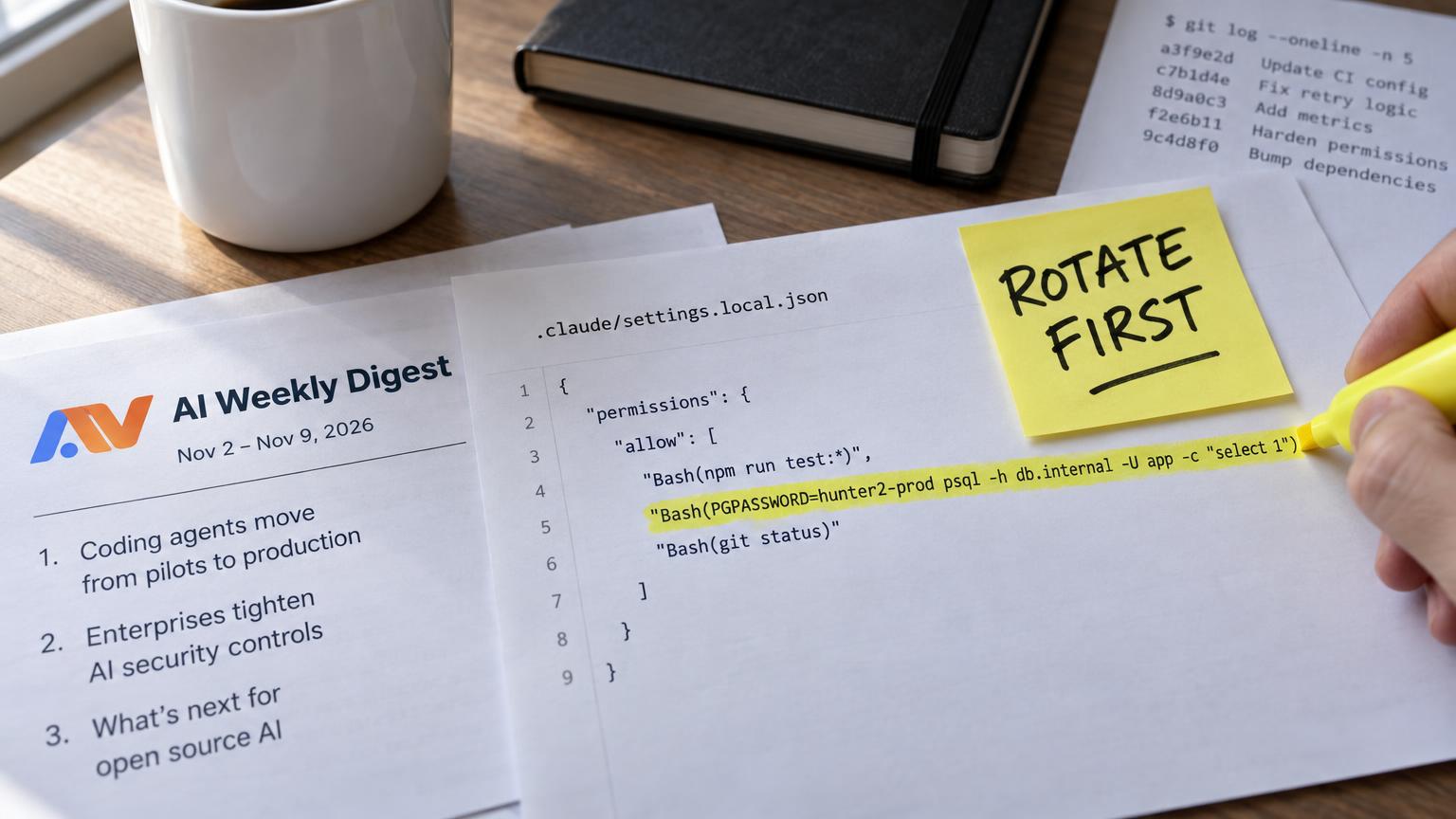

PGPASSWORD=Prod_2026! psql -h db.internal -U admin. A developer types that into a coding agent's terminal prompt to check one row in production, the agent asks for permission, and the developer clicks "Yes, and don't ask again." The click is sensible. It saves the next twenty prompts. It also writes the whole command, password included, into a JSON file inside the project folder, and that file can ride along with the next commit.
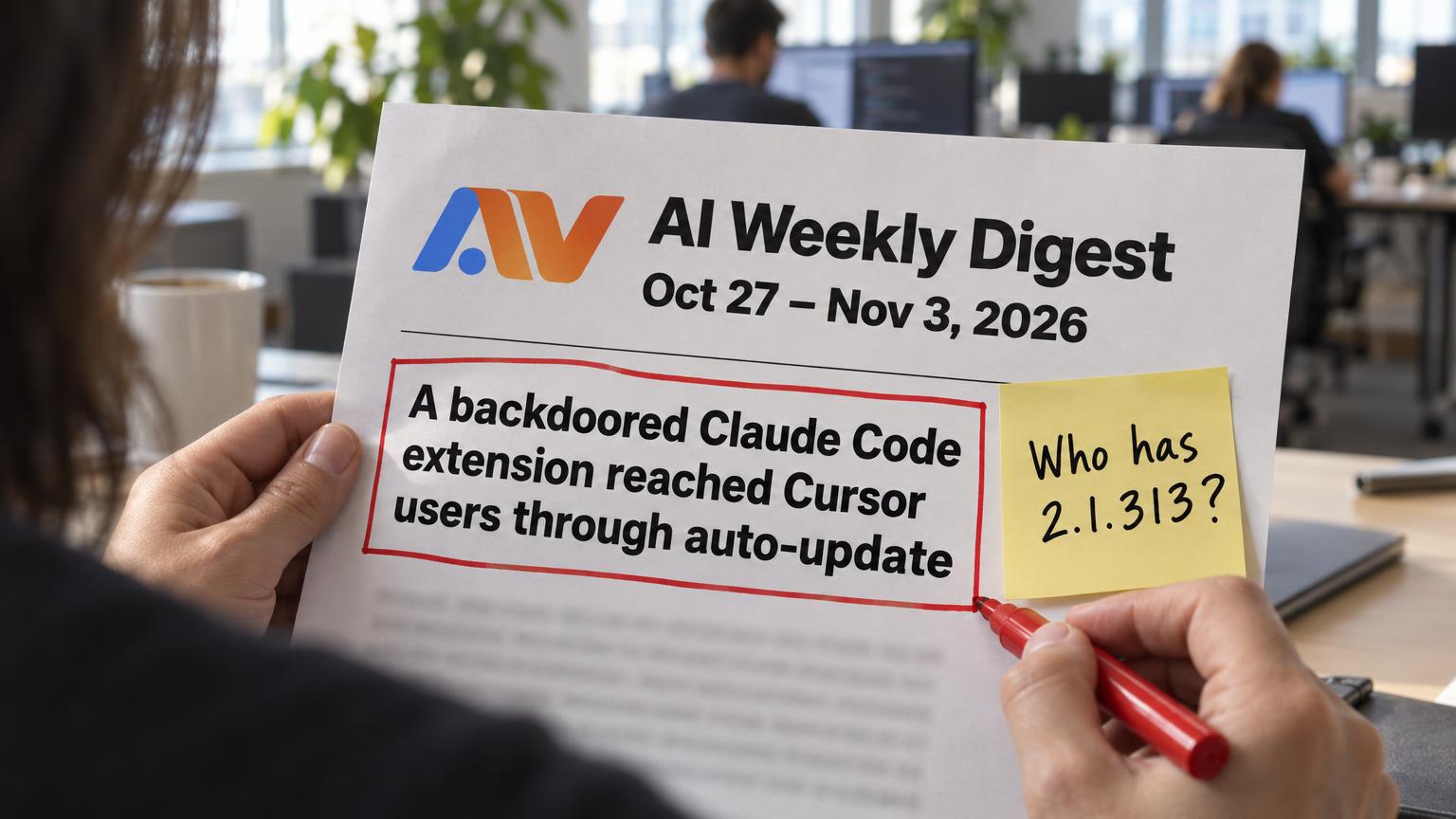
On November 5, 2026, the application security firm Apiiro published research on exactly this path. It found real secrets in 1,122 of 104,185 public copies of .claude/settings.local.json on GitHub, the file where Claude Code saves those "don't ask again" approvals. Counting earlier versions in git history, shared settings files and saved transcripts, Apiiro reports 2,539 secrets across 1,994 repositories, tied to 63 organizations. In 539 of the 1,105 repos it traced, a commit co-authored by Claude itself had changed the file.
The list reads like a production inventory. Apiiro's breakdown includes database passwords, Supabase service-role keys, SSH logins, GitHub and npm tokens, AWS keys and private keys.
The approval that saves your team time is the leak.
Banning coding agents is off the table for most teams, so the useful decision for an engineering leader is narrower: where agent approvals are allowed to live, and how long a leaked string stays valid. Below: where each major agent keeps approvals and session state, which of those files reach git, five controls that close the gap, an audit you can run in one afternoon, and the lines to add to your AI-use policy.
How an approved command becomes a committed secret
Coding agents ask before running shell commands, and every one of them offers a way to stop asking. The mechanics differ, but the leak follows the same five steps:
- The agent proposes a command, or a developer asks it to run one, with a credential written inline: a bearer token in a
curlheader, a password in a connection string, anexport AWS_SECRET_ACCESS_KEY=...line. - The developer approves it and picks the persistent option so the agent stops interrupting.
- The agent saves an allow rule. In Claude Code's case, the rule is the literal command string, stored in the project's
.claude/settings.local.json. - Someone runs
git add ., or the agent stages and commits its own changes, and the settings file goes in with them. - The repo is pushed. If it is public, or ever becomes public, or is forked, the credential is readable by anyone who looks.
Step 3 is the one most teams miss, and it carries the whole problem. An allow rule is matched as a string or a prefix, so the safest rule is a pattern such as Bash(npm run test:*). The rule an approval click creates is whatever the command looked like at that moment. If the password was in the command, it is in the rule.
Step 4 has two authors. The human git add . is the familiar one. The newer one is the agent, which often stages everything it touched and writes the commit message. Apiiro's finding that Claude co-authored the commit in roughly half of the traced repos shows how routine that has become.
The secret shapes that turn up most are predictable:
- Database connection strings and
PGPASSWORD=orMYSQL_PWD=prefixes curl -H "Authorization: Bearer ..."calls against internal or SaaS APIs- Cloud CLI calls with keys passed as flags or environment variables
sshpass -plogins to servers- API keys pasted into MCP server configuration under an
envblock
Which of these ends up in a repo depends on where the agent writes them, and that differs a lot between tools.
Where each coding agent keeps approvals and session state
The question to ask of every agent is simple: does it write approvals and session data inside the repo's working tree, or in the developer's home directory? Anything inside the working tree is one git add away from history. Anything in the home directory is safer from git but still sits on laptops, in backups and in dotfiles repos people sync to GitHub.
Apiiro compared the documentation of 16 coding agents and reports that Claude Code is the only one confirmed to save the full approved command in a project file by default. The other agents are not risk-free, though. They put the risk in different places. The details below reflect vendor documentation as of November 2026 and change often, so verify them against the version your team runs.
Claude Code
Claude Code reads settings from several layers. .claude/settings.json in the project is meant to be shared and committed, so the team gets the same allow and deny rules. .claude/settings.local.json in the project is personal, and it is where "don't ask again" approvals land. User-level settings live in ~/.claude/settings.json, and an enterprise managed-settings.json sits in a system path (/etc/claude-code/ on Linux, /Library/Application Support/ClaudeCode/ on macOS) and overrides the rest.
Anthropic's documentation says Claude Code configures git to ignore settings.local.json when it creates it. Per Apiiro's analysis, it does that through the developer's global git ignore list, not the project's own .gitignore. That protection does not travel. It misses folders that become repositories later, clones on other machines and CI runners, and any copy that was committed before. Session transcripts are written under ~/.claude/projects/, outside the repo, but they hold full command history and get pasted into repos and tickets when people share a session.
Cursor
Cursor (the editor most teams pilot after Copilot) stores its terminal command allowlist in its own internal state rather than in a project file, and supports permissions.json at ~/.cursor/permissions.json and at <workspace>/.cursor/permissions.json, with the two concatenated. The bigger in-repo risk is .cursor/mcp.json, the project-level MCP server config, where API keys often end up in plain text under env. Teams commit .cursor/ freely because it also holds shared rules. Note that .cursorignore controls what the agent reads, not what git commits.
OpenAI Codex
Codex keeps its configuration in ~/.codex/config.toml, including approval_policy and the sandbox mode. Session approvals last only for the current thread. When a developer accepts a persistent rule, Codex writes a prefix rule to ~/.codex/rules/default.rules in the home directory. That design keeps approvals out of the repo by default. The exposure comes from teams that commit a project-level config, paste session logs into issues, or sync their home dotfiles to a public repo.
GitHub Copilot in VS Code
Copilot's agent mode in VS Code can auto-approve terminal commands through the chat.tools.terminal.autoApprove setting. That setting can live in user settings or in the workspace's .vscode/settings.json, and MCP servers can be configured in .vscode/mcp.json. Many teams commit .vscode/ by convention to share editor setup, so a workspace-level auto-approve list or MCP config with a pasted key goes straight to the remote. Copilot's cloud coding agent runs on GitHub with environment secrets managed in repository settings, which is the safer pattern.
Exposure map at a glance
| Agent | File or location | Inside the repo? | What it stores | Secret risk | Commit it? |
|---|---|---|---|---|---|
| Claude Code |
| Yes | "Don't ask again" approvals as literal commands | High | Never |
| Claude Code |
| Yes | Shared allow and deny rules | Medium, if someone copies a local rule in | Yes, after review |
| Claude Code |
| No | Session transcripts | Medium, when shared | Never |
| Cursor |
| Yes | MCP servers, often with keys in | High | Only with |
| Cursor |
| Yes | Workspace allowlist entries | Medium | After review |
| OpenAI Codex |
| No | Persistent prefix rules, approval policy | Low in repo, medium in synced dotfiles | Never from home |
| Copilot in VS Code |
| Yes | Terminal auto-approve list, MCP config | Medium to high | Only after review |
Why your secret scanner misses part of this
Here is the uncomfortable part for teams that feel covered. Most engineering orgs already run secret scanning, usually GitHub secret scanning with push protection. It helps, and it is not enough on its own for this leak.
GitHub's scanner matches supported provider patterns: AWS keys, Stripe keys, GitHub tokens and a few hundred more. Push protection blocks a push only when one of those patterns matches. A Postgres password, an internal service token or an SSH password is a free-form string with no prefix to detect. GitHub's AI-based detection of generic passwords, which uses Copilot, widens coverage, but it does not catch everything, and custom formats need custom patterns your security team has to write.
Apiiro's numbers show the gap from the other side. Of the files with real secrets, gitleaks flagged 564 and TruffleHog flagged 643, and 215 were flagged by neither tool. A pattern-based scanner cannot recognise a password it has no pattern for.
Two more blind spots matter. Server-side scanning only sees what gets pushed, so transcripts and local settings files on laptops are invisible to it. And once a secret is in public history, detection is incident response, not prevention. Forks keep it, clones keep it, and Microsoft Threat Intelligence reported on November 5, 2026 that attackers are already running agentic tooling to search public GitHub for exposed secrets.
Five controls that close the gap
No single control covers every agent and every path. Layer them, cheapest first, and notice that only one of the five removes the leak instead of catching it later.
1. Repo .gitignore rules
Add the agent paths to every repo's own .gitignore: .claude/settings.local.json, any *.local.json agent files, transcript exports, and .cursor/mcp.json unless it only references environment variables. Put the same lines in your repo templates and in a global gitignore pushed to developer machines. This is cheap and immediate. It fails open on brand-new repos, on git add -f, and on files already tracked, which need git rm --cached to stop being tracked.
2. Managed settings pushed by IT
This control stops the problem at the source. Claude Code's enterprise managed-settings.json overrides user and project settings, and with allowManagedPermissionRulesOnly set to true it ignores permission rules from user, project and local files entirely. Your platform team defines the allow and deny list once, and an approval click can no longer create a new rule. VS Code supports policy-managed settings for Copilot's auto-approve behaviour, and Codex and Cursor configs can be distributed through device management where your tooling supports it. This takes more work to roll out, and it is the only control that removes the leak instead of catching it later.
3. Pre-commit and push-time secret scanning
Run gitleaks or TruffleHog as a pre-commit hook, enable push protection, and write custom patterns for your internal token formats and for strings like PGPASSWORD= and sshpass -p. Check one detail that often goes wrong: some scanner configs exclude dotfolders, which drops .claude/, .cursor/ and .vscode/ from scope. Add them back explicitly. Agent-authored commits go through the same hooks as human ones, so this catches the agent too.
4. Short-lived credentials
Assume some strings will leak and make them expire. Use OIDC federation for CI instead of stored cloud keys, cloud SSO sessions measured in hours for engineers, and scoped tokens with expiry dates for SaaS APIs. A leaked token that died an hour after it was minted is a log entry, not an incident. This is also the control that limits damage from everything already sitting in public history.
5. Sandboxed agent runs
An agent cannot leak a secret it never sees. Run agents inside devcontainers or the agent's own sandbox mode (Claude Code and Codex both ship one), give the sandbox development credentials only, and restrict network egress to the hosts the task needs. Keep production database access behind a bastion or a broker that the agent's environment cannot reach.
Controls compared
| Control | Stops | Misses | Effort to roll out | Owner |
|---|---|---|---|---|
| Repo | Accidental commits of known agent files | New repos, | Hours | Each team, via templates |
| Managed settings | New literal-command rules being created | Agents without central policy support | Days to weeks | Platform or IT |
| Pre-commit and push scanning | Known patterns and custom patterns at commit time | Free-form passwords without a pattern, local-only files | Days | AppSec |
| Short-lived credentials | Long-term damage from any leak | The leak itself | Weeks to months | Platform and cloud |
| Sandboxed runs | Agents touching production secrets at all | Secrets developers paste in manually | Weeks | Platform |
If your team does only two things this week, push managed settings that block new literal-command rules, and rotate or shorten every credential already exposed.
If you want a second set of eyes on your agent settings before the audit, our free 30-minute AI Readiness Snapshot call covers exactly this kind of rollout gap.
The one-afternoon audit
This runbook fits in a single afternoon for most mid-size orgs. The order matters more than the tools: find, scan, rotate, then clean up and prevent. Teams that reverse the middle two steps end up with a tidy history and live credentials.

- Org-wide search (about 30 minutes). Use GitHub code search across your organization for the agent files:
`` org:your-org path:.claude/settings.local.json org:your-org path:.claude/settings.json org:your-org path:.cursor/mcp.json org:your-org path:.vscode/settings.json "autoApprove" org:your-org path:.vscode/mcp.json ``
Also search for transcript-shaped files committed at repo roots, such as *.jsonl session exports, and list every repo where a match exists, public or private.
- History scan (about 60 minutes). For each matching repo, scan the full history, including deleted files. A file removed last month is still in every clone:
`` git log --all --full-history -- .claude/settings.local.json gitleaks detect --source . --log-opts="--all" trufflehog git file://. --results=verified,unknown ``
Run both scanners. Apiiro's data shows each one catches secrets the other misses, and neither catches all of them, so read the matched files yourself as well.
- Rotate first (60 to 90 minutes). Rotate every credential you found before you touch history. Work in order of blast radius: cloud admin keys and CI deploy tokens first, then production database passwords and payment or core API keys, then third-party SaaS tokens, then internal and development tokens. For each one, check the provider's access logs for use since the date of the first commit that contained it.
- Then clean up. Run
git rm --cachedon the agent files, add the ignore rules, delete any allow rule that holds a secret, and rewrite history withgit filter-repoor BFG where it is worth the disruption. Accept that public clones and forks keep the old copy, which is why rotation came first. - Then prevent. Push the managed settings, enable push protection with your custom patterns, and add the pre-commit hook to your repo templates so new repos start safe.
What done looks like:
- [ ] Every match from the org-wide search is reviewed
- [ ] Full-history scans ran on every matching repo
- [ ] Every exposed credential is rotated and its access logs checked
- [ ] Agent files are untracked and ignored in each repo's own
.gitignore - [ ] Managed settings are deployed to engineering machines
- [ ] Push protection and custom patterns are on for the whole org
What to put in your AI-use policy
Most AI-use policies cover data sent to models. Few cover what the agent writes back to disk. Add a short section for coding agents. These clauses are written so you can paste them in and adjust the names:
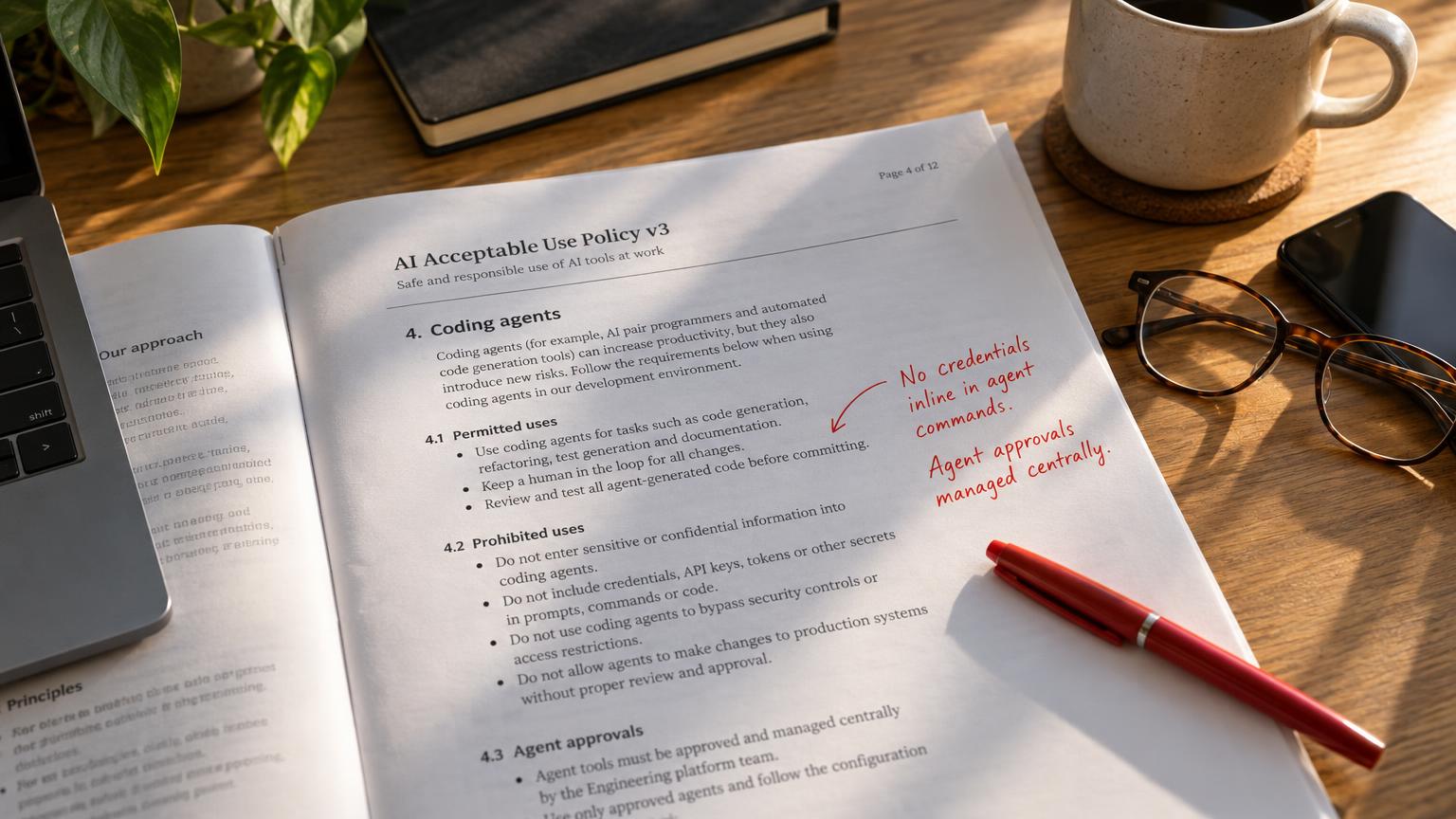
- Credentials are never typed inline in commands an agent runs. Reference them through environment variables or a secrets manager.
- Agent permission rules are managed centrally through managed settings. Developers do not create persistent approvals for commands that contain credentials.
- Project-level agent configuration (
.claude/,.cursor/,.vscode/) is reviewed in pull requests like code. - Local agent settings files and session transcripts are never committed, attached to tickets or shared in chat.
- Coding agents run without production credentials by default. Production access goes through an approved broker.
- Any exposed credential is rotated before history is cleaned, and the incident is logged.
- Agent-authored commits are subject to the same pre-commit hooks and push protection as human commits.
Name an owner. Platform or security owns the managed settings and reviews them every quarter, or whenever an agent ships a new permission feature. Agent releases move weekly , so a policy nobody owns goes stale within one release cycle.
What the vendors are changing, and why not to wait
Anthropic has responded. Boris Cherny, who leads Claude Code, said in a Hacker News discussion on November 7, 2026 that the team is looking at checks in auto mode and basic secret scanning. Apiiro also notes that users had reported this mechanism in GitHub issues since August 2025. Elsewhere, GitHub has extended secret detection with AI-based generic password scanning, and tools such as GitGuardian now ship hooks that scan prompts and tool calls inside the agent loop.
These changes will reduce new leaks. They will not rotate a password that has sat in a public fork since spring, and they will not reach the agents your team installed without telling anyone . Vendor fixes help with what comes next. The audit deals with what has already been committed.
Common mistakes
- Rewriting history before rotating, which leaves live credentials in every existing clone
- Treating a private repo as safe, when forks, contractors, mirrors and future open-sourcing all change who can read it
- Watching only
settings.local.jsonand ignoring sharedsettings.json, which is where a copied local rule ends up being committed on purpose - Scanner configs that skip dotfolders
- Giving the agent the same credentials as the engineer running it
Fix it where approvals are stored
The approval click is where the leak starts, so fix it there. Control which rules agents can create, keep their files out of git, and make every credential short-lived enough that a leaked string expires before anyone uses it.
If you want help running this audit or setting up managed agent settings across your team, book a free 30-minute AI Readiness Snapshot . We will go through your repos and agent configuration with you and leave you with a prioritised fix list.