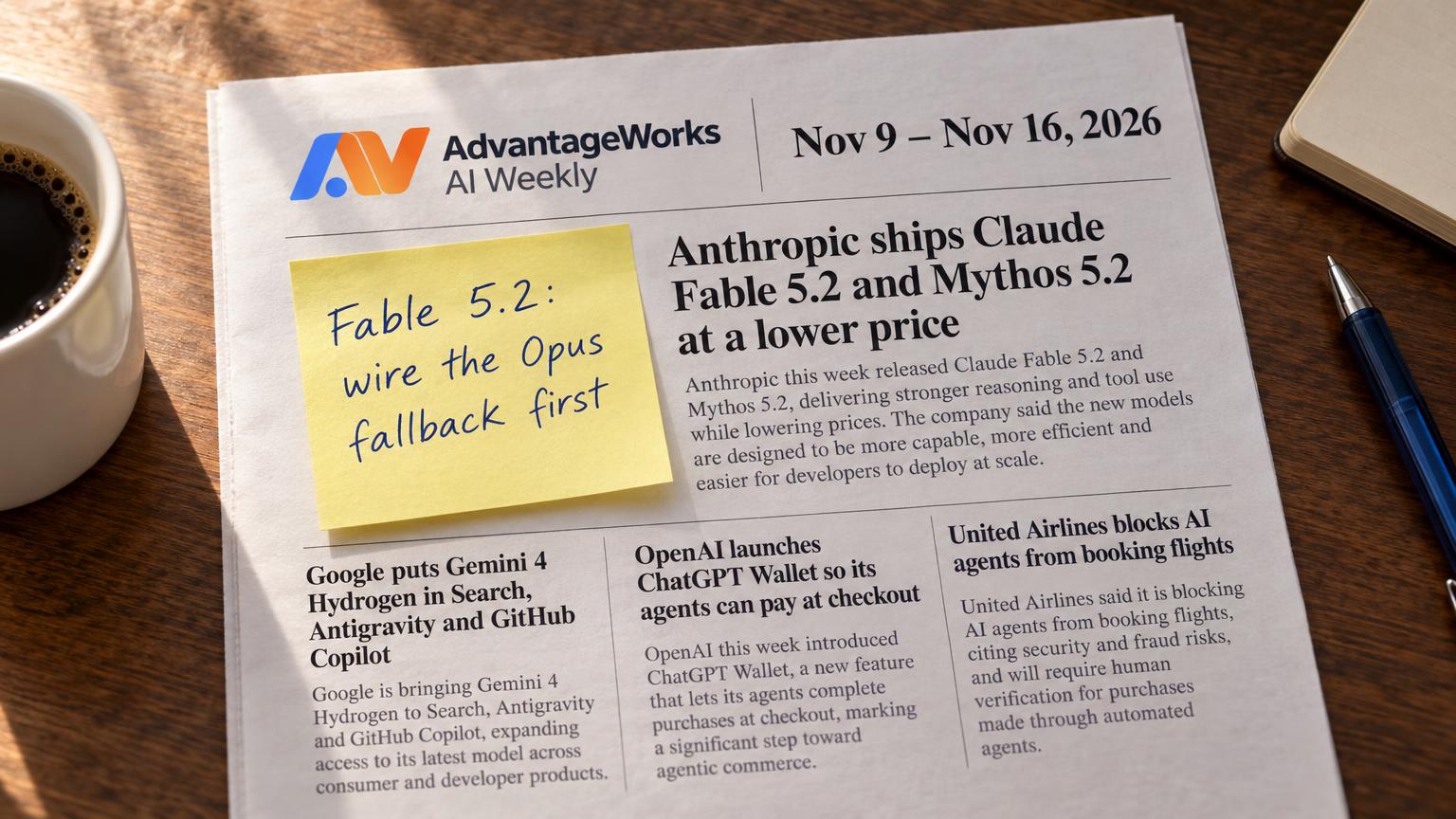

The AI agents that used to book United flights didn't get worse at it. They lost permission. In the same week of November 2026, United Airlines said it will stop unauthorized third-party AI agents from booking, changing or buying travel, whether they come straight to its website and app or reach it through travel agencies and aggregators. Two days later, OpenAI launched ChatGPT Wallet with American Express, Chase, Mastercard and Visa, a way for agents to pay that never hands them the card number.
One door closed, another opened, and neither company asked the people running agents for their opinion.
That's the part worth sitting with if you run operations or own an AI program. Every agent that does useful work outside your walls depends on someone else's system: an airline, a bank, a supplier portal, a marketplace. When that agent gets in by logging in as one of your employees, the site owner can end the workflow on a Tuesday with a policy update. There's no contract, no deprecation notice and no support line.
The agents that survive this aren't the smartest ones. They're the ones the other side agreed to. Below: the three ways agents reach outside systems, how fragile each one is, and a checklist for the next workflow someone wants to build.
One week, two signals about who gets in
When a website blocks AI agents, any agent that was logging in with a person's credentials stops working, and the account behind it can be flagged or held responsible for what the agent did. Agents that reach the same site through an approved API or partner channel keep running, because the site agreed to them.
United's announcement is the clearest recent example. According to Skift and Business Travel News , the restriction covers United's own digital channels and indirect channels such as online travel agencies and aggregators. The airline cited regulatory and consumer-safety reasons, chiefly that sharing account credentials with a third-party assistant can expose personal data and lead to purchases, changes or MileagePlus redemptions the customer never intended. Bookings made before the announcement won't be cancelled.
Southwest went the other way. CBS News reported that the airline has made its flight inventory viewable to ChatGPT users, through a ChatGPT integration Southwest itself built. Same industry, same month, opposite answer. The site decides, not you.
Banks are moving in the same direction as United. In October, Bank of America emailed customers asking them not to share banking usernames and passwords with outside services, AI agents included, and reminded them that they're responsible for activity resulting from shared credentials ( TechCrunch , October 27, 2026).
Then there's ChatGPT Wallet. According to OpenAI's announcement on November 13, 2026, the user adds a card once and approves each purchase with a check like Face ID or a fingerprint. The payment network then issues a payment token, a stand-in for the real card number, so neither the agent nor the merchant sees the actual card details. It launches in a limited form: ChatGPT Pro subscribers in the US, through OpenAI's dots feature, with eligible US-issued cards. OpenAI's own announcement concedes that some sites may unintentionally block purchases made this way.
Put the four stories side by side and a pattern shows up. Sites are starting to sort agents into two groups: the ones let in on the site's terms, and the ones kept out. Which group yours fall into depends almost entirely on how they get in.
The three ways an agent reaches a system you don't own
Every agent that touches an outside site gets in one of three ways. The way in, more than the model or the prompt, decides how likely it is to break.
Path 1: a shared human login driving the interface. A browser agent or computer-use agent signs in with an employee's username and password, then clicks through the site the way a person would. It's fast to build and needs nobody's permission. To the site, the agent looks like your employee until bot detection or a policy change says otherwise. Most agents start here because it works against any website on day one.
Path 2: an official API or partner channel. The site exposes a documented interface, a partner program or a distribution channel. For airlines, that's GDS and NDC connections used by travel management companies. For procurement, it's punchout catalogs, supplier APIs and EDI links. Access is contracted, keyed to your organization and rate-limited. You know the rules because they're written down.
Path 3: agent-native rails. This is infrastructure built specifically for software acting on a person's behalf. Tokenized agent payments are the most visible example: ChatGPT Wallet, Visa Intelligent Commerce and Mastercard Agent Pay all let an agent pay without holding the real card. Payment protocols such as Stripe's Machine Payments Protocol, Coinbase's x402 (built on the HTTP 402 "Payment Required" status) and Google's Agent Payments Protocol (AP2) aim at machine-to-machine purchases. On the identity side, Microsoft Entra now lets administrators assign agent identities to applications, and OpenAI asks sites to recognize its agents through signed requests using Web Bot Auth. Most of this is early, limited in who can use it, and tied to one ecosystem or another.
Your own systems are a different problem. We've written about agents working inside your business systems , where you set the rules. This article is about systems where someone else sets them.
How the three paths compare
Newness is the wrong yardstick here. What matters is what happens to your business process when the other side changes its mind.
| Path | Breakage risk | Terms and credential exposure | Auditability | Cost profile |
|---|---|---|---|---|
| 1. Shared login driving the UI | High and sudden: layout changes, bot detection, policy changes like United's | Often against site terms - a named employee's password lives inside an automation | Whatever logs and recordings you build yourself - the site sees "the employee" | Cheap to build, expensive to keep running |
| 2. Official API or partner channel | Low and announced: versioned interfaces, deprecation notices | Covered by contract - scoped keys tied to your organization | Both sides log every call | Integration effort and possible partner fees - slower to start |
| 3. Agent-native rails | Low to medium: designed for agents, but new and changing fast | Built so the agent never holds the raw credential (tokens, per-purchase approval) | Network, wallet or identity-provider records of each authorization | Usually low per transaction - locks you to an ecosystem |
Path 1 is cheap to build, and the bill arrives later: a working business process now depends on another company not noticing, or not caring. When it does notice, your exposure goes beyond downtime. Under Bank of America's terms, a customer who shares credentials is responsible for what happens with them. Many corporate portals have similar language, and your security team probably doesn't know which employees' passwords sit inside an automation today. Our piece on what we lock down before an agent reaches production covers the credential side in more depth.
Path 2 is slower and less exciting. It's also the only path where the other party has promised anything. Path 3 sits in between: the site or network has agreed in principle, but the details are still moving and availability is narrow. Knowing that is only useful once you know which of your workflows sits where.
Where your internal use cases actually sit
Most companies have agents or automations on all three paths without anyone having decided that on purpose. Common workflows tend to land like this.
- Travel booking. Often path 1 today: an agent logs into an airline or hotel site as the traveler. United shows this is exactly what gets cut first. The path 2 alternative already exists in most companies: the travel management company or corporate booking tool. Agent wallets may eventually cover the payment step as path 3, but not the airline's permission to book.
- Procurement and purchasing. Many mid-size companies already pay for a sanctioned path 2 here, through punchout catalogs, supplier APIs or a procure-to-pay platform. An agent that logs into a supplier storefront as a buyer duplicates that channel and skips its approval controls.
- Vendor portals. Invoice uploads, compliance documents, order status. Frequently path 1, because small vendors have no API. This is where shared credentials pile up, often one login per vendor per accounts-payable clerk.
- Supplier and market research. Read-only browsing of public pages. Credential risk is low, but sites can still block automated traffic, and services like Cloudflare offer site owners one-click tools to do it. Use official data feeds where they exist.
Read-only research has the least to lose here. The workflows that log in and transact are the exposed ones, because they carry a real person's identity and real money.
How to inventory the workflows that are exposed
You can't plan for a block you can't see. A one-page inventory does most of the work, and it fits on a spreadsheet you could start this afternoon.
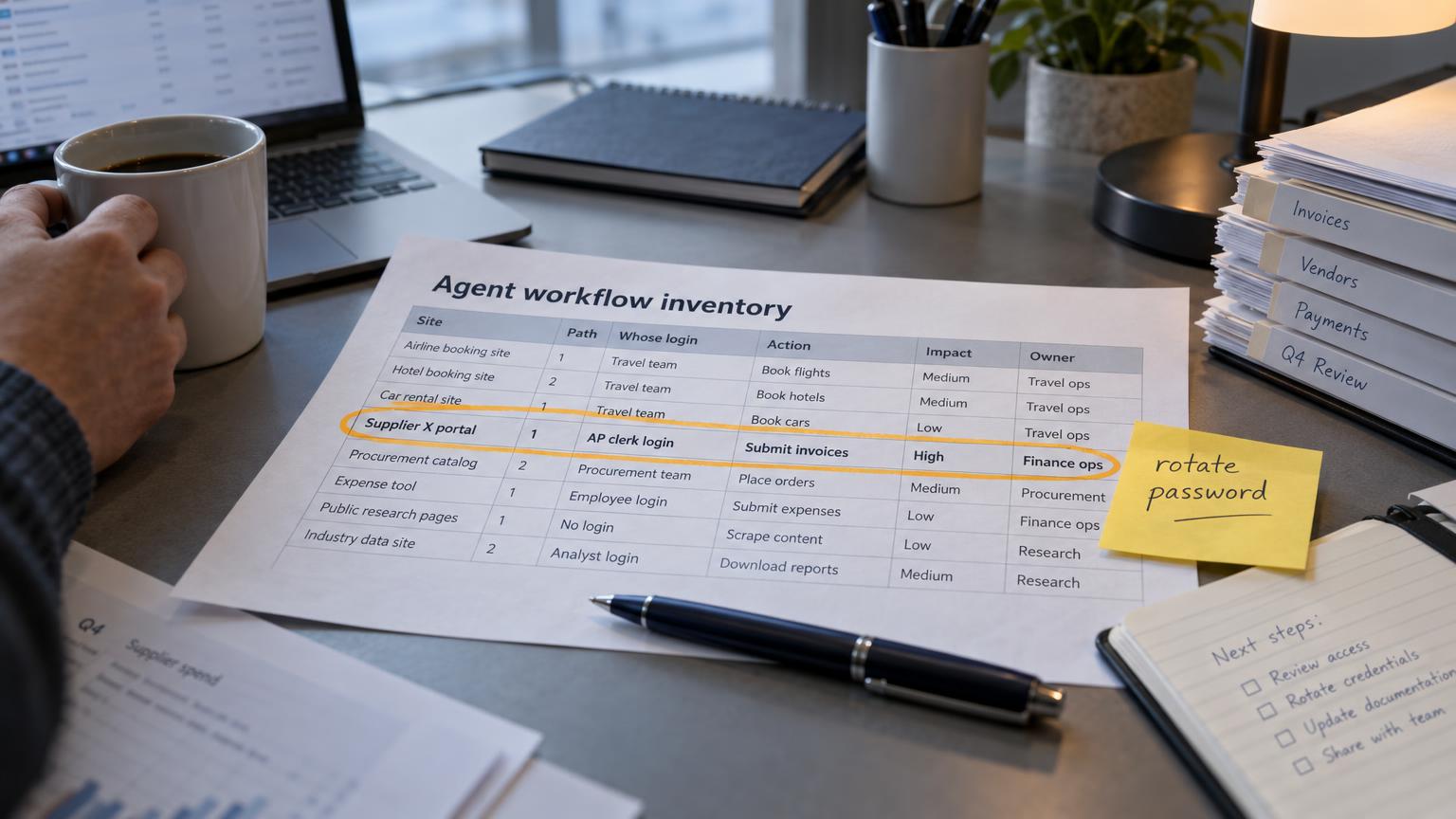
- List every agent or automation that touches an outside site. Include browser automations, RPA bots and AI assistants with tool access. If you don't have a full list of your agents, start there: you can't govern the AI agents you can't list.
- Record four facts for each one: the site, the path (1, 2 or 3), whose credentials it uses, and what it does (read, submit or pay).
- Check the site's terms for language about automated access, and look for any published agent policy. United's is now public. Others will follow.
- Score the impact if access stopped tomorrow: revenue, operations, compliance, or nuisance.
- Flag every path 1 workflow that uses a named person's login and send the list to security and to whoever owns your AI policy. They need it regardless of what happens next.
- Assign an owner and a review date to each row, so a policy change at the site has someone to land on.
An illustrative row might read: Supplier X portal, path 1, AP clerk's login, submits invoices weekly, impact high (late payments), owner: finance ops lead, review in Q1. That single line already tells you the next step is asking Supplier X about an API or an email intake.
What a fallback looks like when access is cut
The block will usually arrive without warning. A good fallback is designed beforehand and has four parts.
Detection. Alert on failed logins, CAPTCHA pages, unexpected page structure and account warning emails. The worst outcome is an agent that silently retries until the account gets locked, taking the employee's own access down with it.
Degrade to a human. The workflow should hand the task to a person, with the context the agent already gathered, instead of failing quietly. This is the case for starting with agents that are not fully autonomous and for writing down the escalation path in a runbook rather than just a prompt .
A pre-arranged alternative channel. Know in advance which partner API, travel management company, punchout catalog or vendor email inbox you'll switch to. Finding that out during an outage costs days.
Credential hygiene on the way out. If an employee's password was ever handed to an agent, rotate it once the agent stops using it.
One thing not to do: fight the block. Rotating IP addresses or disguising the agent as a person turns a policy problem into a legal and reputational one, and it signals to the site owner that you're the reason the policy exists.
A checklist for any new agent workflow that touches a site you don't control
Run through these before the build starts, not after the first block.
- [ ] Does the site offer an API, partner channel or agent-specific access? If yes, start there.
- [ ] Do the site's terms allow automated access for this purpose?
- [ ] Will the agent use a person's credentials? If yes, who approved it, and does security know?
- [ ] Does the workflow move money? If yes, can it use tokenized or per-purchase-approved payment instead of a stored card?
- [ ] What happens to the business process if access disappears tomorrow?
- [ ] Is there a human fallback with a named owner and a written runbook?
- [ ] Does your side log enough detail to reconstruct exactly what the agent did?
- [ ] Who reviews this workflow when the site's policy changes?
If the credentials question or the fallback question comes back "no" or "don't know," the workflow is running on borrowed access.
Who agreed to let your agent in?
For most of the last two years, the question about any agent was whether it could do the task. United, Bank of America and OpenAI have added a second question: who agreed to let it in? Agents that answer "the site did" will keep working. Agents that answer "an employee's password did" are on someone else's schedule.
If you'd like a second pair of eyes on which of your agent workflows sit on fragile access, book a free 30-min readiness call . The AI Readiness Snapshot maps where your agents depend on systems you don't control and what to move first.